TorchFakes: DeepFake Detection
TorchFakes: DeepFake Detection
A learning project shared by the community. The article documents its team, methods and results; it does not establish that the prototype is ready for real-world use.

Authors: Aarón Espasandín Geselmann, Concepción Olivares Herráiz, Jorge González Sierra and Jaime Merino Albert
Mentors: Alejandro Iñigo, Teresa Garcia and Nerea Encina
This is the final project of the AI Saturdays Bootcamp.
You can test this model using the following link, just enter a picture and see the results!
Introduction
A DeepFake can be either an image or a video with sounds artificially created by a combination of machine learning algorithms.
Similarities can be found between this technology and image editing software, however, it is a step further. It can create people that do not exist or create a video by making a real person say or do things they did not actually do or say, as in the case of the famous Obama video.
It is a tool for disinformation, which can be used for scams, election manipulation, identity theft and even creating fake celebrity pornography videos.
The motivation behind the project
Nowadays, it seems more and more difficult to detect if the content that is spread over the network is true and more and more difficult to detect what is real and what is not.
That is why the main motivation of our project is to develop a model for the detection of deepfakes that could help people, institutions, and companies to detect false images in situations where they can be manipulated.
But not all deep fake applications are focused on manipulation or deception, there are also positive uses of deep fakes; applications in entertainment, advertising, cinema, research in medical uses, etc.
Structure of the Project
For this project, we used InceptionResnetV1 with images extracted from FaceForensics++ HD videos at 30 frames per second. We aimed to balance the real and manipulated image classes for training. We used a pretrained MTCNN model to extract faces.
We decided to use the Deep Learning Framework PyTorch because of the freedom it offers in comparison to Keras.
Extracting faces from the dataset
We started with 21,000 fake and 5,500 real images from FaceForensics++. To remove blurry images that could compromise training, we used a script that applied the Laplacian operator and calculated the variance of the result. For our filtering process, we treated images with a variance below 30 as blurry.
Code for the convolution with the LaPlace Kernel
If you want to know more about why to use the Laplace kernel, you can take a look at this article. In short, when applying a convolution, the edges of the image are highlighted. If there is a high amount of edges, then it has a high variance, and therefore we can conclude that it is not blurred.
Although we initially performed data augmentation, which we will detail below, we decided not to use it as we didn’t notice a difference in the results and the dataset was already diverse.
To extract faces from the videos and images in the dataset, we used the pretrained MTCNN model and imported it with the following line of code:
from facenet_pytorch import MTCNN
This model is explained in the following Medium article. In brief, the model consists of three cascaded networks. The first, P-Net, proposes candidate regions at different scales; the second, R-Net, rejects candidates and refines their bounding boxes.
The third and last stage (O-NET) is similar to the previous one but aims to describe the face in detail, positioning the eyes, nose and mouth.
We could see that the process of extracting faces from the images was well done with this example:
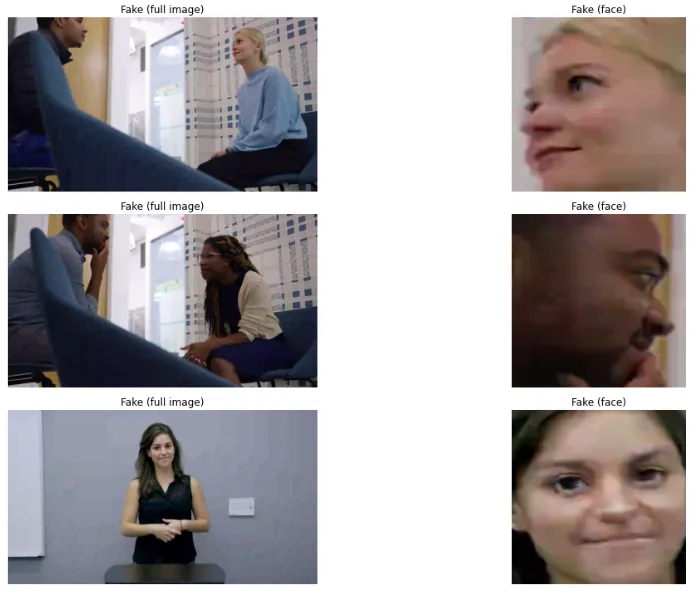
Example of faces extracted with the MTCNN pretrained model
Initially, although we later dispensed with it as discussed above, we performed data augmentation to properly balance our training and validation data sets. For this we have used the following transformations:
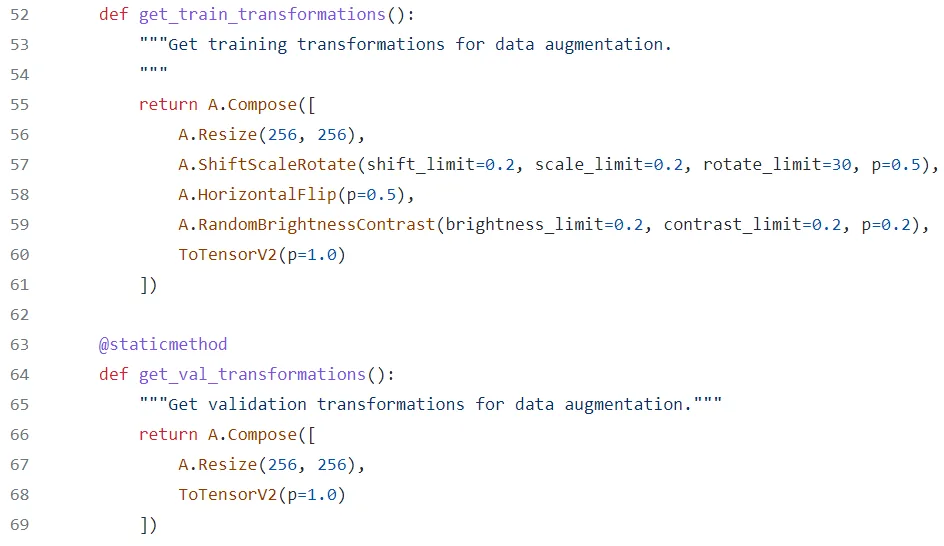
Code of the data augmentation
Binary Image Classifier using Transfer Learning
ResNetV1 belongs to the residual network family introduced in 2015. These architectures use skip connections to make deep networks easier to train.
Residual connections help information and gradients flow through the network.
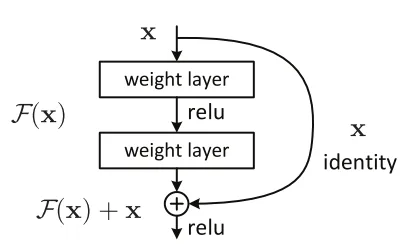
Illustration of InceptionResnetV1
Information can travel through both the sequence of layers and the skip connections. This structure allows the network to learn residual adjustments to earlier representations.
If you want to know more about ResNet and its variants, we recommend this article, from which we have obtained the images of the architecture.
To load the model in PyTorch you need this line of code:
from facenet_pytorch import InceptionResnetV1
We configured InceptionResnetV1 with a single output for binary classification of real and fake images.
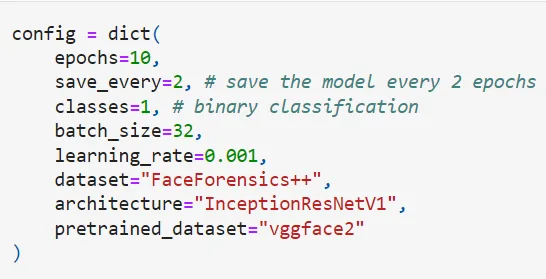
Configuration of InceptionResnetV1
Evaluation and Results
Results from typical metrics like accuracy
After 80 epochs, validation accuracy was 96.6% and validation loss was 0.16. These results apply to our data split and do not guarantee equivalent performance on every type of deepfake.
All these metrics can be seen in the following image. We have performed this evaluation in Weights & Biases for the InceptionResnetV1 network trained with the FaceForensics++ dataset.
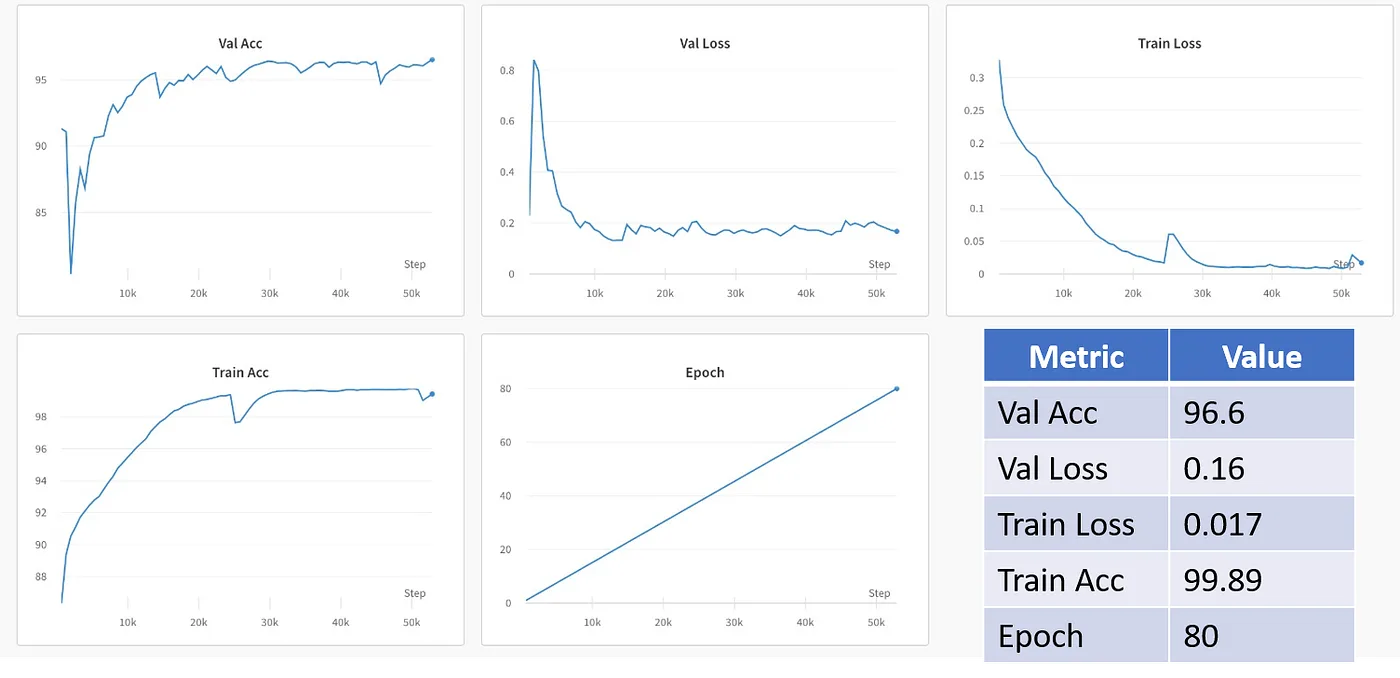
Metrics of our model
We also monitored gradients during training in Weights & Biases.
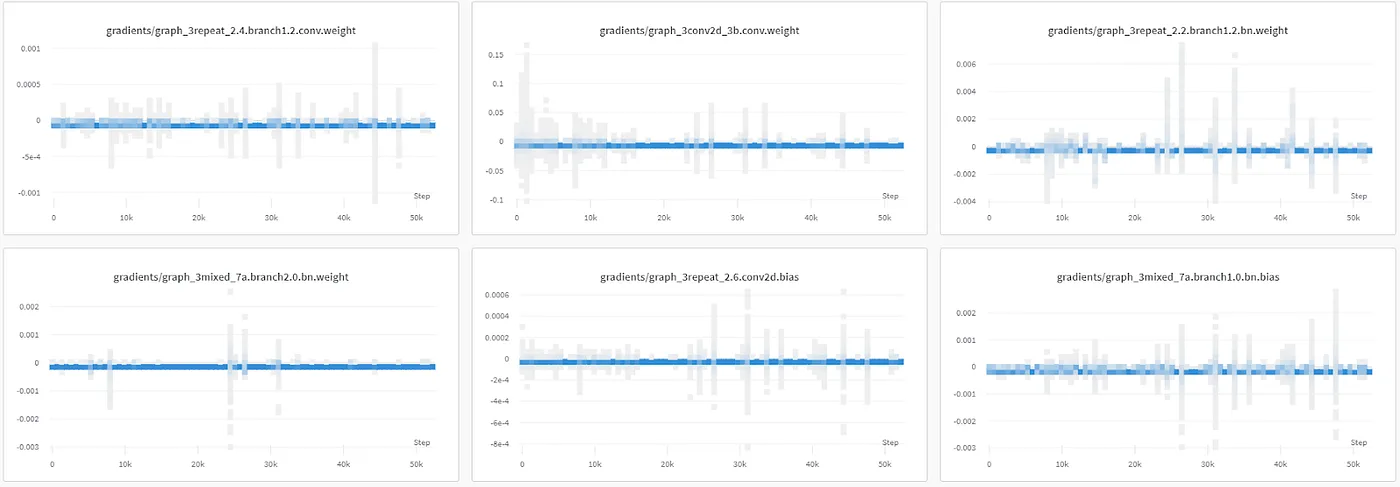
Monitoring gradients
We trained the model on a laptop with a GTX 1070, using a batch size of 16 images. Larger batches exceeded the GPU’s available memory.
The following image shows GPU usage during training.
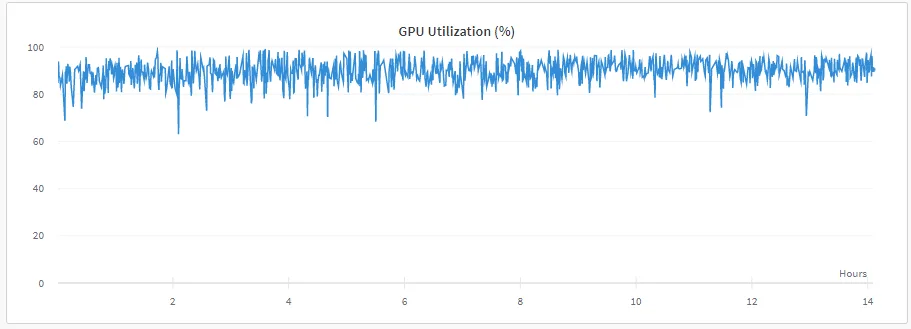
GPU usage during training
Class Activation Maps to see what our model is focusing on
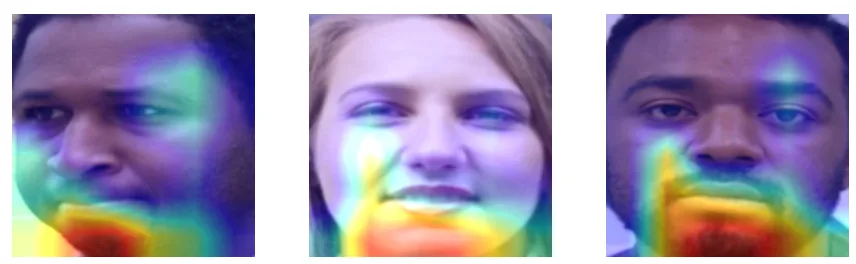
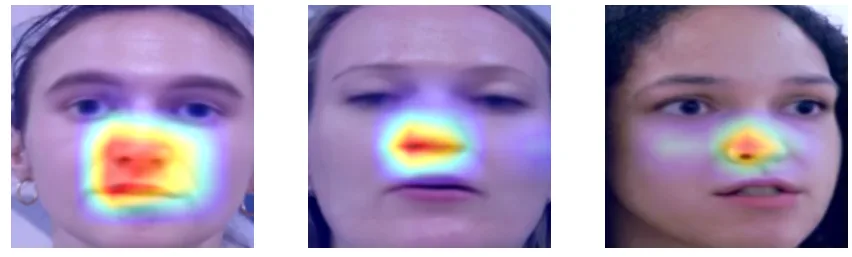
We used Grad-CAM to explore the model’s decisions. It generates heatmaps highlighting regions that contribute most to a classification. The map’s intensity indicates each region’s approximate relevance to the class being examined. It is an interpretation tool, not proof of why an image is authentic or fake.
After analyzing several examples, both real and fake, we can come to some conclusions. Firstly, our model mainly focuses on the chin and mouth area to detect the real images. Here we can see some examples of real images where we can appreciate it.
However, when it comes to analyzing fake images, our model focuses more on the nose and mouth area. These examples of fake images clearly demonstrate this.
Inference using Gradio
We have used GRADIO to create a basic interface where we can implement our model.
Conclusions, Difficulties and Next Steps
Next Steps: App with PyTorch Live, Video Classification, keep audio in mind
We would like to explore a PyTorch Live application and extend the project to video and audio analysis.
During the project we have had a series of difficulties, the main one has been when performing the evaluation of the model, after the training phases, although the binary accuracy of both validations has shown a good result (96.39% after 10 epochs), when we tested the model, it erroneously classified all of them as “Real”. At first we attributed this error to the dataset, that after transformations, there were certain images that had defects, and that we had to download the videos to extract the faces with higher quality.
We finally solved it by filtering out the blurry images that were very detrimental to the training of the model. We avoided using transformations in the training dataset (only resize and convert to tensor). We extended the fake image dataset by filtering the blurred ones as described in the dataset section.
The next step in this project would be to make a model that is able to distinguish between fake and real videos without the need to extract faces from different frames. In addition to distinguish between manipulated audio or audio generated by deep learning algorithms.
The code can be found in our GitHub repository.
More artificial intelligence!
Saturdays.AI makes AI more accessible through shared learning and projects with a social purpose. Our motto is AI4ALL IS AI4GOOD.
A story from the Saturdays.AI community. Originally published on Jun 17, 2022.
← More community stories