AgroClaw: What we learned when building an AgTech agent
Lessons from building AgroClaw, an experimental assistant for olive farming: architecture, technical knowledge, tools and the limits of AI in agriculture.
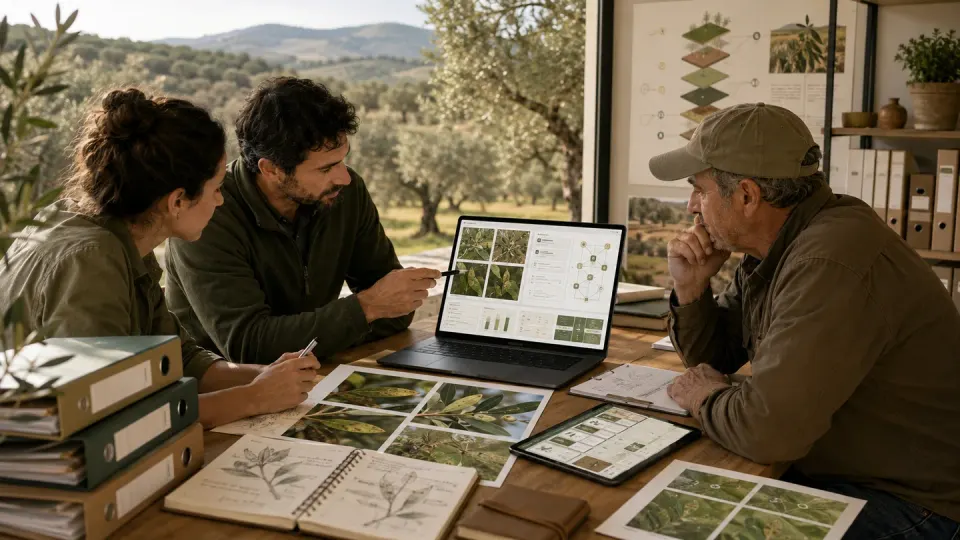
In applied artificial intelligence, it is easy to stay at the flashy layer: the demo that responds, the interface that impresses or the “chatbot” that seems to know everything. The hard part starts later: when you're trying to build an agent that not only sounds good, but is useful in a real technical domain. That is precisely what AgroClaw has taught us.
AgroClaw began as a Spanish-language AgTech assistant focused on olive farming. It aims to support specific tasks: preliminary assessment of pests and diseases, use of dichotomous identification keys, interpretation of field symptoms, irrigation guidance and contextual interpretation of AIoT sensor data. We built it on OpenClaw with a layered architecture covering identity, tone, working rules, skills and a knowledge base.
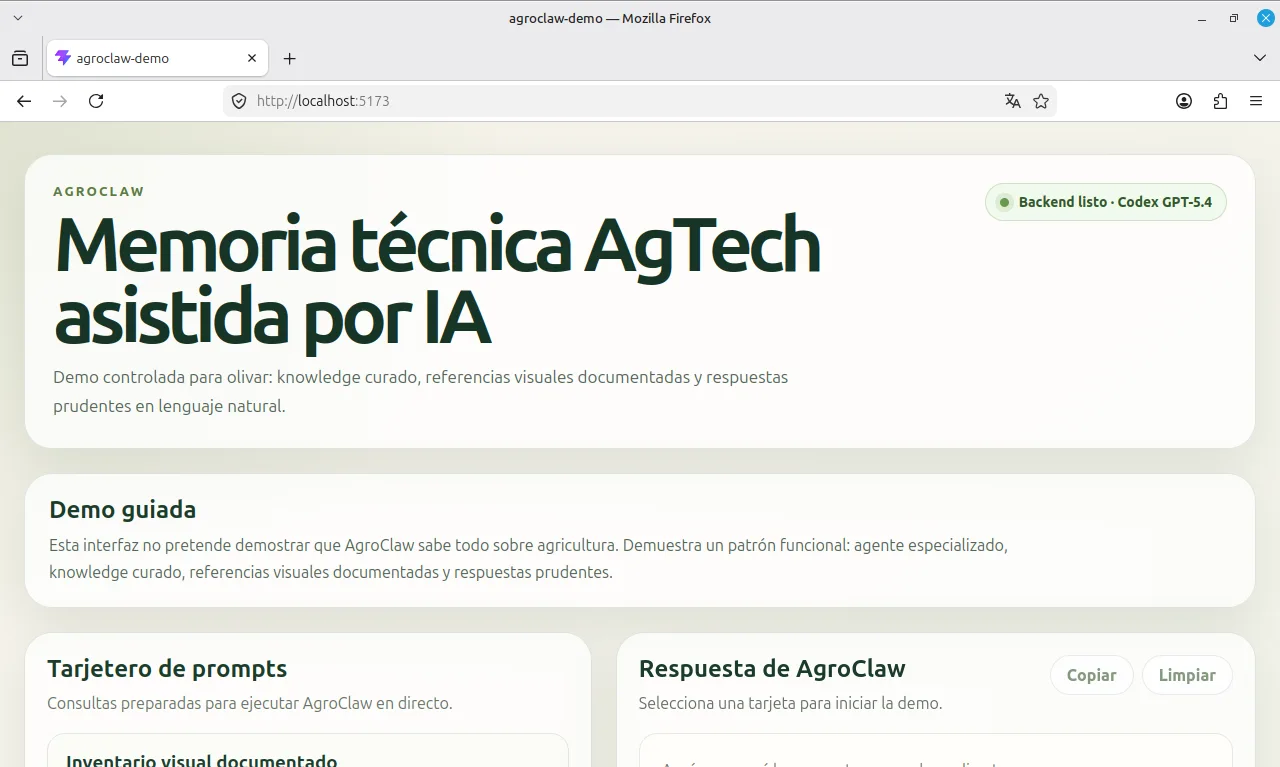
In the repository https://github.com/SaturdaysAI/agroclaw-demo you can see the project directory structure:
agroclaw-demo/
├── public/
├── server/
│ ├── server.js
│ └── workspace-template/
│ ├── AGENTS.md
│ ├── BOOTSTRAP.md
│ ├── HEARTBEAT.md
│ ├── IDENTITY.md
│ ├── SOUL.md
│ ├── TOOLS.md
│ ├── USER.md
│ ├── skills/
│ └── knowledge/
│ └── olivar/
├── src/
│ ├── api/
│ ├── assets/
│ ├── components/
│ ├── data/
│ ├── types/
│ ├── utils/
│ ├── App.tsx
│ ├── index.css
│ └── main.tsx
├── .env.example
├── package.json
└── vite.config.ts
The architecture has a practical purpose. One useful insight was that an LLM agent can be organised somewhat like an object-oriented system. IDENTITY.md describes the agent’s identity; SOUL.md defines its tone; AGENTS.md sets out how it works; skills describe specific tasks; and the knowledge base provides domain references.
Below and based on this approach, we present a proposed UML diagram for OpenClaw:
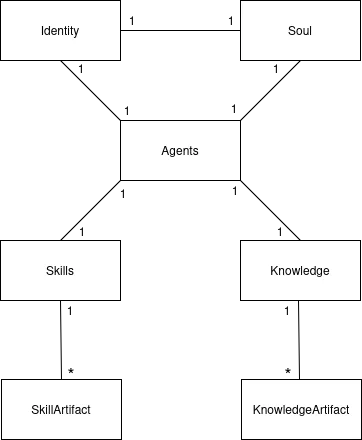
With proper configuration, AgroClaw turns out to be the instance produced by this architecture.
The benefit is practical: the structure makes the system easier to maintain, helps us locate problems and lets us change one part without reworking everything else. It provides a path from one enormous, unwieldy prompt to a system that can grow in a more controlled way.
The analogy has limits. Organising an LLM agent like an object-oriented system does not make its instruction-following deterministic. In this project, we had to state and test priorities among identity, tone, rules, skills, reference material and user requests. Clear instructions help, but critical boundaries also require controls in the surrounding software. A prompt alone cannot guarantee that the model will follow every rule.
The olive peacock spot case was particularly useful for testing AgroClaw. We wanted it to suggest a preliminary identification and explain the preventive and curative approaches described in its reference material. We had rewritten the skills, reinforced AGENTS.md, refined the identity and structured the knowledge base around this specific case. These were tests of the assistant’s responses, not validation of a diagnosis or a treatment in the field.
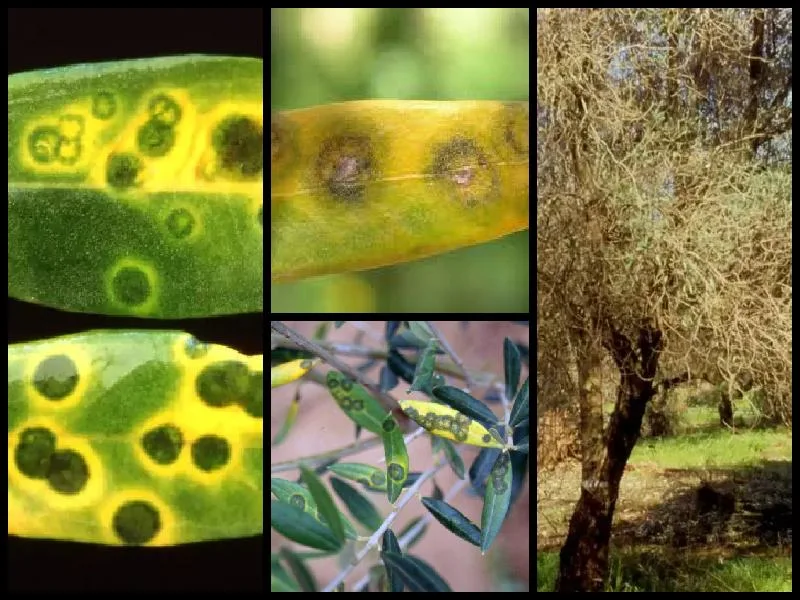
Images of olive peacock spot used in the AgroClaw knowledge base.
Sources: Syngenta, Técnico Agrícola and UPL Cátedra Olivar
The early responses did not offer the level of explanation we wanted. The agent proposed peacock spot as the likely problem, but largely repeated references to preventive copper treatments and checking the plant protection product register, without clearly explaining the differences between the approaches documented in its knowledge base. Checking the register was still essential; the shortcoming was the lack of a more useful explanation. We began to suspect that adding more instructions or documents would not, by itself, resolve the issue.
We revised the skills, AGENTS.md and document structure over several iterations. This improved parts of the assistant’s behaviour, but did not resolve the issue we were observing. In our tests, switching from GPT-5.4-mini to GPT-5.4 while keeping the same architecture and reference material produced more useful explanations.
In the examples we tested, GPT-5.4 distinguished preventive and curative approaches more clearly and discussed the active ingredients described in the reference material. This was an observation from the prototype, not a controlled comparison or proof of agronomic reliability. Before any real treatment, the diagnosis, current authorisations and product label still need to be checked with qualified advice.
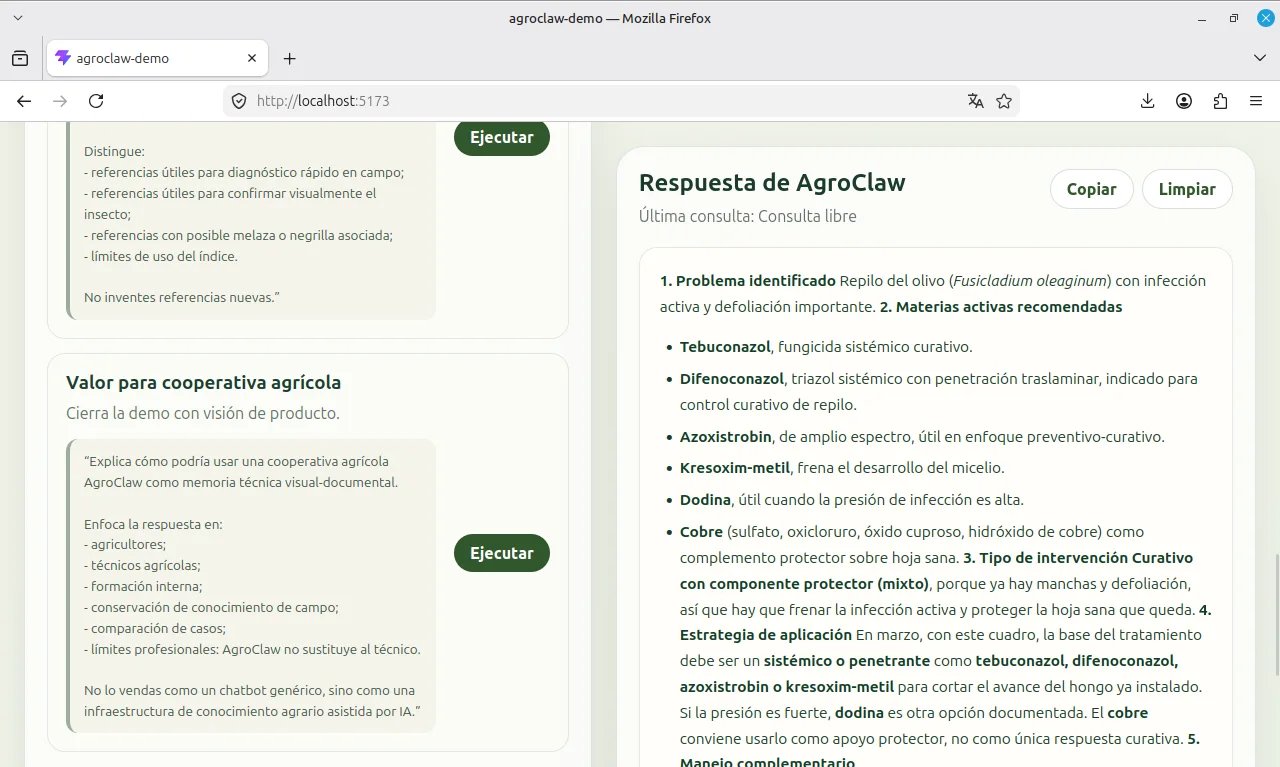
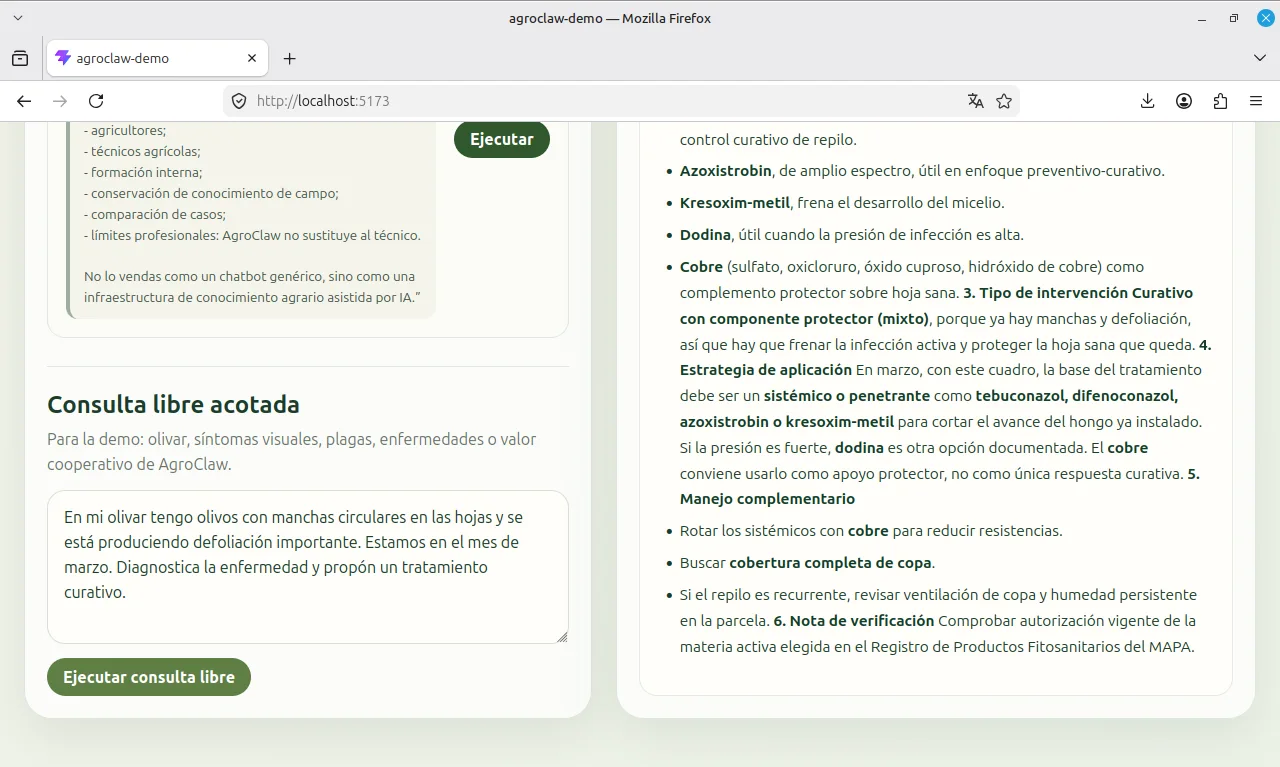
This was one of the project’s most useful technical lessons: adding more instructions is not always enough. Repeatedly rewriting prompts can become unproductive. When progress stalls, it is worth examining the model alongside the architecture, retrieval process and quality of the documentation.
In our AgroClaw tests, the smaller model handled some tasks adequately, while GPT-5.4 produced better explanations in this particular case. That result helped us choose a configuration for the demo, but does not establish a universal ranking of the two models.
A second lesson concerns the assistant’s scope. We did not work with exact doses or prescribe particular commercial formulations in this phase. AgroClaw is intended to support access to technical information, while current authorisations, product labels and professional judgement remain essential to any real treatment decision.
The prototype suggests potential value in exploring likely causes, organising technical reasoning, prioritising questions and explaining preventive or curative approaches described in its sources. It does not establish diagnostic accuracy or the suitability of a treatment. Exact doses, authorised uses and label requirements must be verified separately.
When images matter too
We learned something else while building the visual knowledge base. Storing images may seem useful only if the agent can automatically “see” them, but that overlooks the value of documenting and organising visual references.
Images are useful even when the agent does not automatically process their pixels. They form an organised visual collection: leaves with peacock spot, fruit affected by olive fruit fly, shoots with olive psyllid, branches affected by borers, symptoms consistent with Verticillium wilt and damage at different growth stages. This turns scattered photographs into a reusable technical library.
The key is the image + Markdown pair. Each image has a .md record explaining what it shows, its main visual symptoms, possible lookalikes, how it may support an assessment and where it is stored. The result is a documented visual reference rather than an isolated photograph.
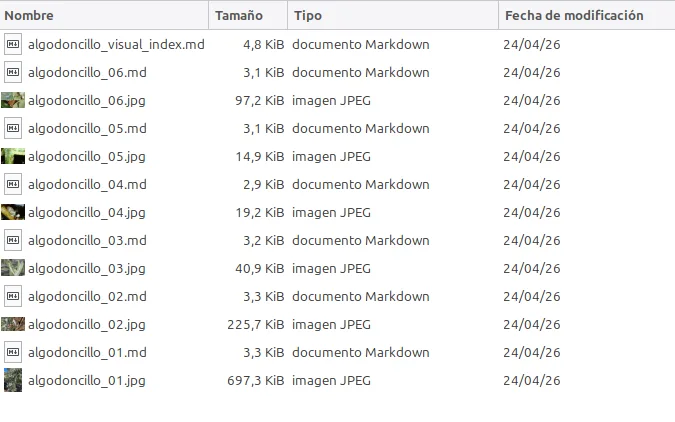
That is how the images currently support this implementation. Automatic retrieval and inspection of image pixels is not integrated in the same way as Markdown retrieval. AgroClaw can read the written descriptions, retrieve file paths and list relevant examples when asked. Reasoning from those descriptions should not be confused with directly analysing the images.
From a collection of images to a documented visual base
Our next step was to apply this consistently. The olive knowledge base grew into an organised collection of visual references, each with a name, file path, source and accompanying technical record.
We added documented references for olive psyllid, Saissetia or black scale, Otiorhynchus weevils, olive knot, anthracnose, Euzophera damage, Xylella, bark borers, Verticillium wilt and the olive moth Prays. Each image received a Markdown record with the same structure: crop, affected plant part, tentative identification, visual description, diagnostic relevance, agronomic interpretation, limitations, a usage note for AgroClaw and the source.
This changed the repository from a collection of photos for manual browsing into a set of documented visual references. The agent could retrieve their records, compare the descriptions and use them cautiously to support a preliminary assessment.
The olive psyllid folder provided a useful example. We assembled six visual references covering cottony deposits on shoots and flower clusters, insect details, nymphs, adults, colonies and associated effects such as honeydew or sooty mould. We then tested whether AgroClaw could retrieve this material.
AgroClaw listed all six references, algodoncillo_01 through algodoncillo_06, retrieved their local paths, described their contents and recognised that each had an associated .md record. It was not magically seeing the stored images; it was using their written documentation.
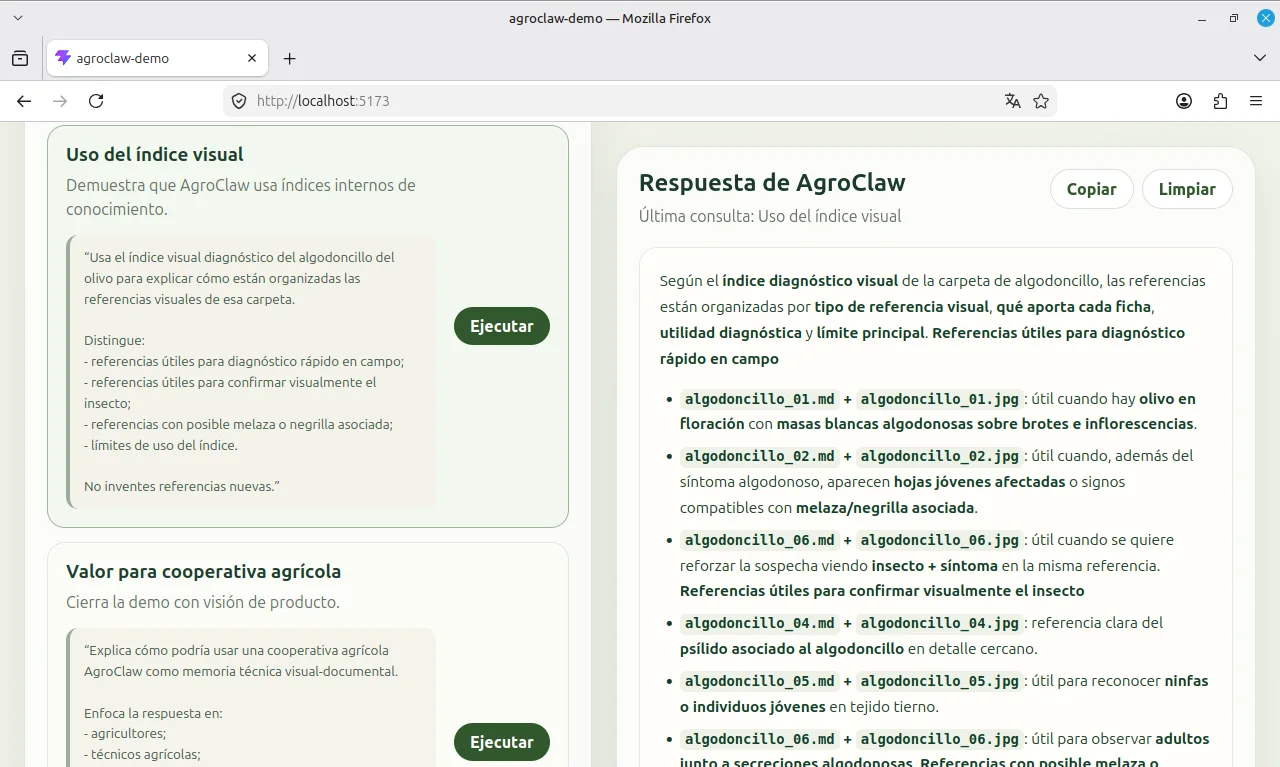
Next, we asked it to rank the references by their practical usefulness for a preliminary assessment. AgroClaw grouped them by shoot and flowering symptoms, insect detail, colonies or multiple insects, and associated honeydew or sooty mould. It also distinguished references useful for a quick field assessment from those showing the insect in more detail.
This test showed that documented visual references can support more than file retrieval: the agent could organise them according to the criteria in their descriptions. Whether that ranking is useful in practice still requires technical review.
Visual indexes: organising the knowledge base for technical use
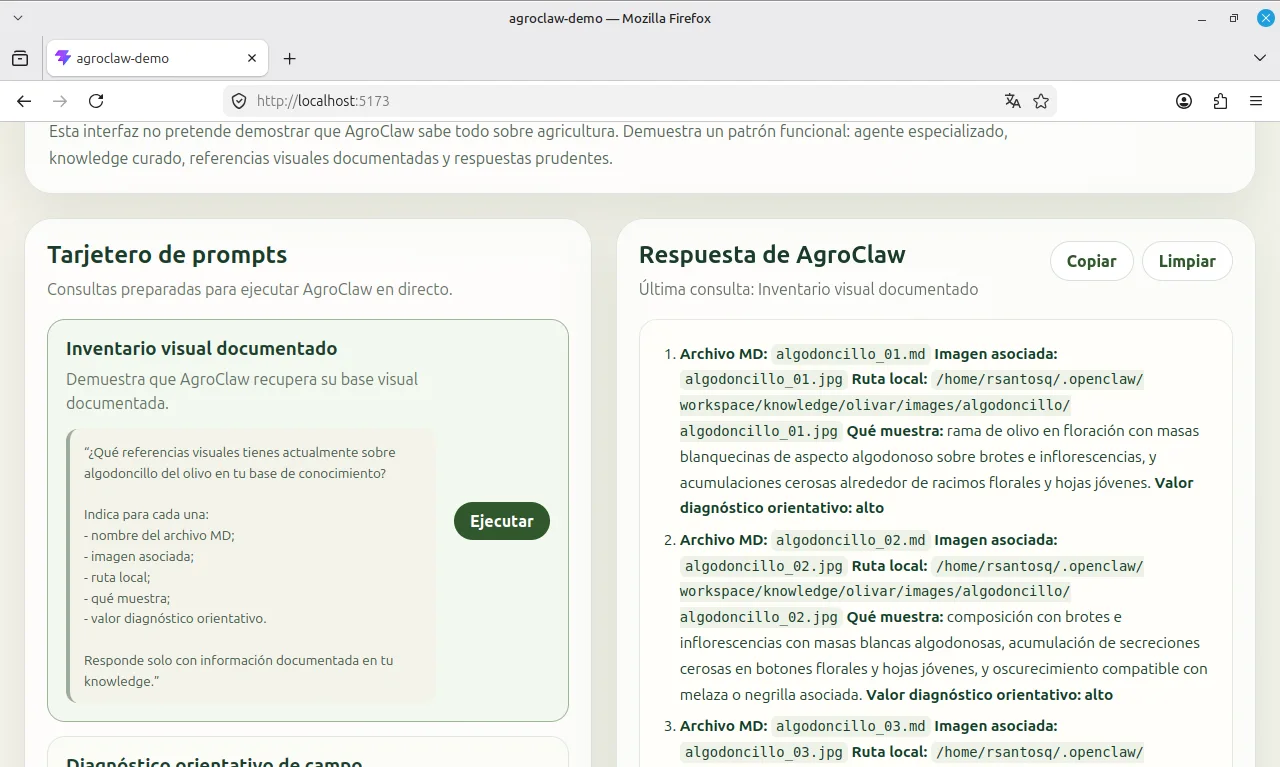
The test suggested a natural improvement: a visual index for each folder. Individual records describe each image; an index maps the collection and helps identify which references may be relevant to a symptom or an image supplied by the user.
For olive psyllid, we created algodoncillo_visual_index.md. It includes an overview of the folder, a reference table, the diagnostic relevance and main limitation of each image, and a usage note for AgroClaw. Each subject folder can therefore contain individual records and an index explaining how to use them together.
This makes the knowledge base easier to maintain. The agent does not have to invent an organisational scheme every time: it has an internal retrieval guide to help compare symptoms, identify possible confusion and keep its conclusions appropriately cautious.
There AgroClaw began to behave less like a collection of documents and more like a small structured technical memory.
LLM models, vision and performance modularity
AgroClaw is not tied to one LLM. Its architecture centres on IDENTITY.md, SOUL.md and AGENTS.md, together with skills and a knowledge base. These describe the agent’s identity, behaviour, boundaries and supporting documentation.
The model interprets the context and generates responses. AgroClaw’s performance therefore depends on more than its prompts and documents: it also depends on the model’s reasoning, instruction-following, handling of uncertainty, use of retrieved context, vision and other multimodal capabilities.
This distinction matters. The knowledge base can contain Markdown documents, technical records, images, paths, visual indexes and agronomic references. How effectively they are used depends on the architecture, model and retrieval tools working together. A model that handles general conversation well may struggle with complex technical instructions. Another may better balance caution, useful explanations and the reference material, or provide stronger vision capabilities.
The image + Markdown pair remains a useful design choice. The image is a technical reference, while its written record describes the symptoms, affected plant part, relevance to assessment, possible lookalikes, limitations and source. AgroClaw can use that description even when direct image retrieval and analysis are not central to the system.
This structure leaves room to evolve. A model with stronger vision capabilities could make better use of the images; better technical reasoning could help with records and indexes; and a more capable multimodal retrieval system could connect text and images more directly. Each change would need testing, but the central architecture could remain in place.
AgroClaw combines an AI model with a structured collection of visual and written technical knowledge. The model can be changed or specialised while retaining that central structure. This modularity lets us adapt the system to the task’s requirements, available budget, acceptable latency and necessary multimodal capabilities.
Why this matters for a real agricultural tool
Combining images and documentation is particularly useful in agriculture. Field knowledge arrives not only in tables and manuals, but in photographs taken by technicians, farmers and livestock producers: spotted leaves, branches with sawdust, deformed shoots, fruit damaged by insects or plots showing recurring symptoms after several damp days.
Adding a clear technical note to each image creates a living knowledge base. It can support comparisons, preliminary assessments and training, while helping people share practical judgement across teams and growing seasons.
That's why the image + Markdown duo is not a temporary patch. It is a solid way to capture real agronomic knowledge with a structure that can grow well and also leave the system ready for a more advanced multimodal layer when the infrastructure allows it.
A broader lesson is emerging from the olive-farming demo: the layered structure offers a working approach worth testing in other settings. Well-defined skills and domain documentation can contribute as much as model selection. The prototype demonstrates a way to organise that work; it does not yet establish reliability in field use.
The potential of AgroClaw in an agricultural cooperative
AgroClaw points to a useful possibility for cooperatives, agricultural businesses and other organisations: making practical use of knowledge scattered across technicians, farmers, livestock producers and field observations.
In agricultural cooperatives, knowledge is often distributed across people and growing seasons: farmers’ daily observations, technicians’ interpretations, recurring incidents, effective local practices, field notes, photographs, treatments and observed results. Much of it never becomes reusable documentation. An assistant such as AgroClaw could help an organisation retain that practical knowledge, supporting identification, prioritisation and learning while preserving the context of each case.
The visual knowledge base makes this application more tangible. Each relevant observation could become a structured entry with an image, Markdown record, source, date, crop, affected plant part, preliminary interpretation, possible lookalikes, diagnostic limitations and, where appropriate, a technical review.
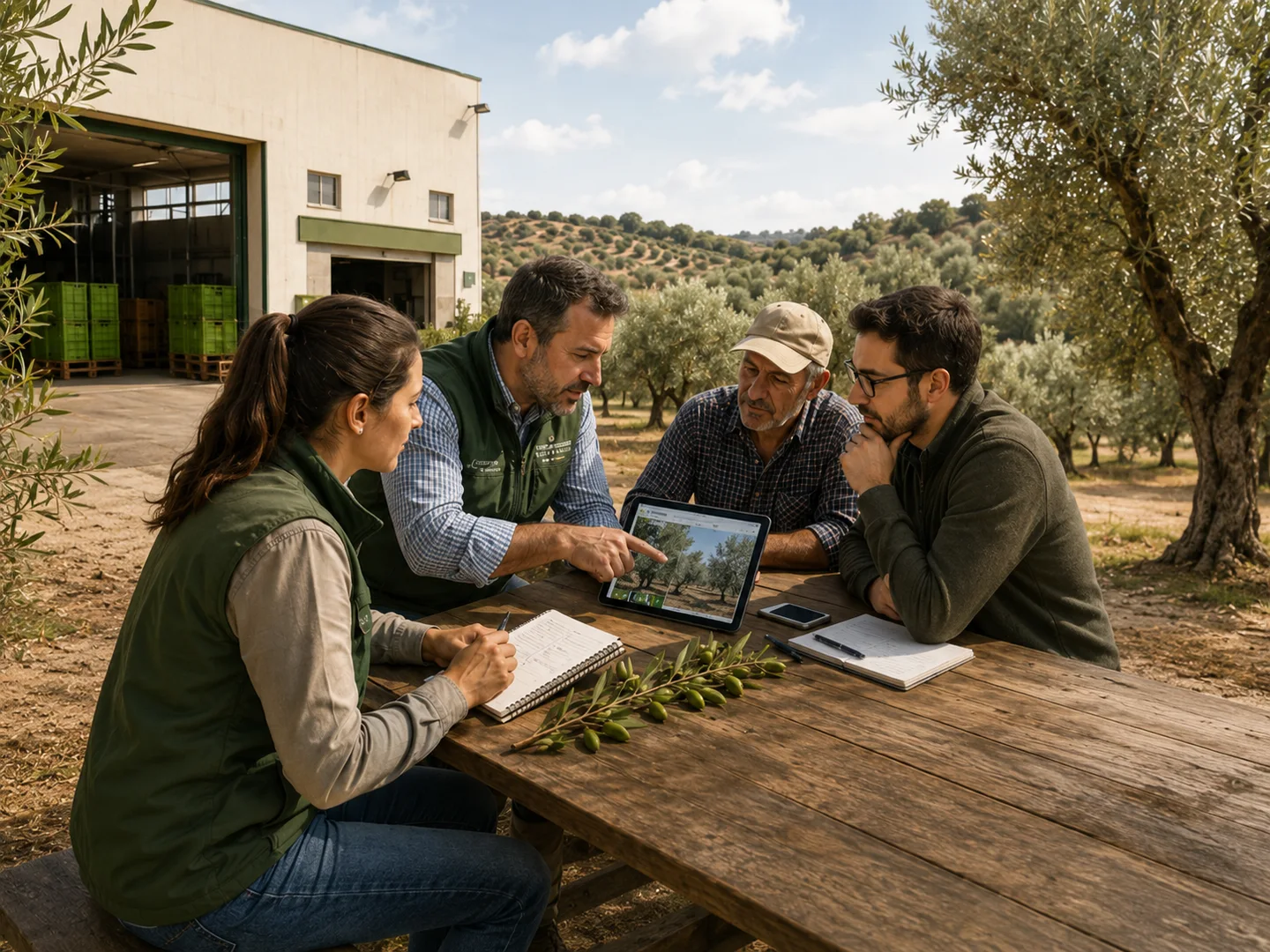
This workflow is intended to support agricultural professionals. It could make relevant knowledge easier to retrieve, organise and compare, help train new colleagues and reduce the loss of practical experience scattered across field visits, conversations, phone photographs and individual memories.
Once SOUL.md, IDENTITY.md and AGENTS.md are aligned, much of the work shifts towards maintaining the knowledge base. A team could document new references, review records, organise folders, create visual indexes and turn field observations into reusable material.
This is perhaps the most promising conclusion from the current state of the project: AgroClaw is beginning to look less like an isolated technical test and more like an agricultural knowledge infrastructure. A small infrastructure, still initial, but with a clear direction: convert field experience into operational memory.
The result goes beyond better explanations of peacock spot or lists of olive psyllid images. It suggests a path towards a specialised tool grounded in documented agricultural knowledge. Establishing how reliable that tool is will require further evaluation and expert review.
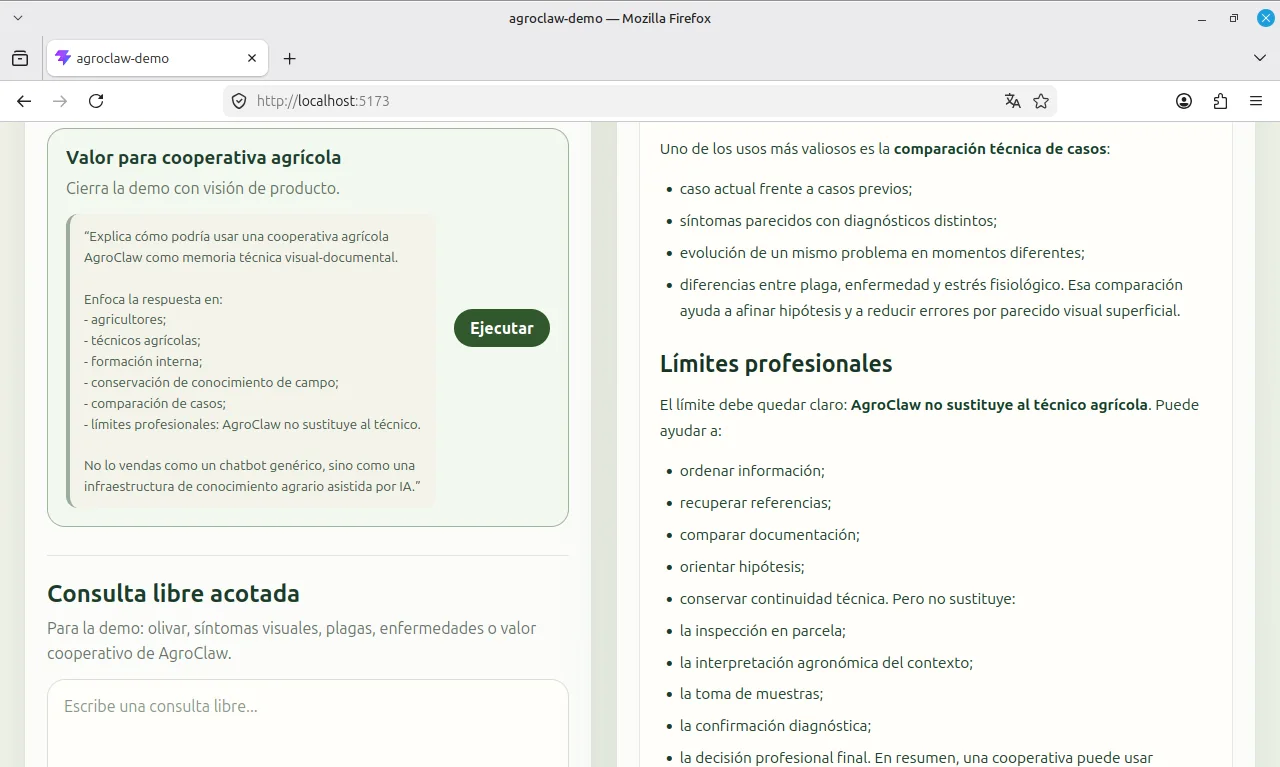
The final decision: a stable local demo that can be recorded and reproduced
The latest stage added another lesson: technical testing does not always need to start with a complex public demo. We explored a remote architecture with a Netlify frontend, a backend managed through Coolify on a VPS, a persistent container and OpenClaw running remotely. This helped us understand the deployment requirements: HTTPS, a domain, secure backend access, workspace persistence, timeouts, agent startup, container limits and response latency.
We therefore prioritised a stable local demo that could be recorded and reproduced. Before making AgroClaw accessible from any browser, we wanted to demonstrate what it does, how it works and what its architecture contributes.
The local architecture is straightforward: a Vite/React frontend communicates with a Node/Express bridge backend, which invokes OpenClaw. OpenClaw uses the AgroClaw workspace containing its identity, tone, working rules, skills and olive-farming knowledge base. The workspace is not a separate running process; it stores the context that shapes the agent’s behaviour.
A local demo reduces the number of deployment problems that can distract from testing the agent. A remote presentation can fail because of DNS, HTTPS, CORS, cold starts, timeouts or container persistence. Running locally removes some of those dependencies, although model-provider latency can still affect responses. This lets us focus on knowledge retrieval, the quality and caution of the explanations, and usefulness for the AgTech case.
From local prototype to reproducible repository
Another change was moving beyond a setup that existed only on one local machine. We added the workspace template to the repository (https://github.com/SaturdaysAI/agroclaw-demo) as a versioned directory under server/workspace-template/, prepared for sharing. It contains the files defining the agent—IDENTITY.md, SOUL.md, AGENTS.md and other context documents—the skills for olive farming, along with technical documents and documented images.
In many LLM-agent projects, the frontend is visible but the important configuration is hidden in a local folder that is hard to reproduce. We prepared a portable template, removing credentials, tokens, .env files, personal absolute paths, private state and logs. The intention is to make the setup reproducible without sharing sensitive data.
This improves traceability. The setup can be reconstructed by cloning the relevant branch, copying the template into the actual OpenClaw workspace and starting the local backend and frontend. It makes the demo easier to inspect and reproduce instead of depending on one successful session on one machine.
The demo-local-backend branch in the Saturdays.AI repository contains this stage of the work: the local backend, a frontend configured to use it, architecture documentation and the workspace template. It provides a way to share the prototype while public deployment remains a later step.
Design the demo with real latency in mind
Latency has been another practical learning. Local tests show response times of tens of seconds, especially when the agent has to activate OpenClaw, query knowledge, reason prudently, and generate a complete response. What is relevant is that the bottleneck does not seem to be primarily in Vite or Node/Express, but in the combination of OpenClaw, the model, the preparation of the context and the agent's own reasoning.
Latency also makes prompt selection important. The demo needs only three to five informative cases: the peacock spot example, retrieval of olive psyllid references showing the image + Markdown approach, or a cautious comparison of symptoms associated with Verticillium wilt and Xylella.
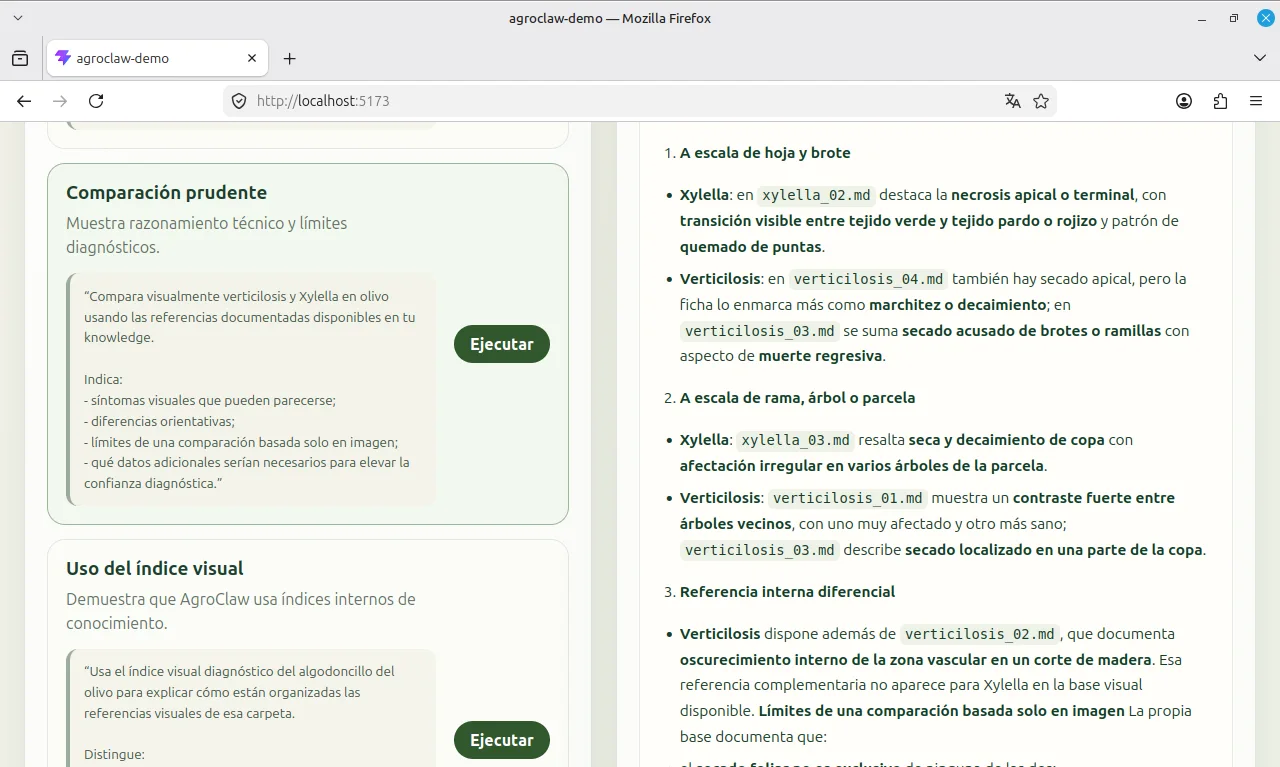
The consequence is clear: for now, the demo must be measured by technical quality, traceability and clarity. In an area such as agriculture, responses to queries must be well defined and supported by documentary memory.
What AgroClaw proves now
At this stage, AgroClaw illustrates several design choices. A specialised agent can have a clear architecture built around identity, tone, rules, skills and knowledge. Agricultural references can combine images with Markdown records and folder indexes. And the setup can be packaged as a versioned workspace template designed for sharing and reproduction.
Its intended professional boundary is equally important. AgroClaw does not replace agricultural professionals, issue treatment prescriptions without context or supersede official registers, product labels and technical references. Its purpose is to help retrieve knowledge, structure observations, explore hypotheses, explain differences between problems and support technical teams.
This is a useful example of applied AI for Saturdays.AI: a way to capture expert knowledge and make it easier to use. AgroClaw brings together a conversational interface, a document structure and a knowledge-curation process that could support future field workflows.
The local demo makes that architecture visible. We can show the frontend, ask prepared questions and observe responses from the actual backend. OpenClaw relies on the local workspace, which contains the identity, tone, behavioural rules, skills and knowledge base that configure it as AgroClaw.
Therefore, having the workspace available locally is not a simple technical detail or a provisional solution to record the demo. It is a central condition for the agent to be able to behave like AgroClaw: recover its documentary memory, apply its rules, use its specific capabilities and rely on documented visual references. The demo shows that these references are not decoration, but structured knowledge within the system.
The demo therefore shows more than a responsive interface: it shows the frontend, bridge backend, OpenClaw and AgroClaw workspace working together in a reproducible setup.
Next frontier: product, not just deployment
Public deployment will continue to be a natural phase of the project. Domain, HTTPS, persistence, security, response times and infrastructure limits will have to be resolved. But now that discussion may come at the right time: after proving that AgroClaw deserves to be deployed, not before.
Our immediate priority has been to record a stable demo that clearly explains the agent’s value. Once its technical and functional behaviour has been evaluated, we can return to a public architecture: a persistent backend, protected endpoints, observability, usage limits and a clear cost strategy.
Turning AgroClaw into a product involves more than putting it online. It requires defined use cases, priority crops and problems, an organised knowledge base, technical review, clear boundaries on what the assistant can answer and when it should refer a case to a professional, and workflows for farmers, technicians and cooperatives to contribute field observations.
Conclusion
AgroClaw began as an AgTech-agent experiment for olive farming and became an exploration of how to build an AI-assisted technical knowledge resource. OpenClaw, a capable model, a layered architecture, well-defined skills, source documents and images with Markdown records provide a promising foundation for further work in agriculture.
The latest stage focused on making the setup more reproducible, easier to explain and easier to demonstrate. The local demo shows the core workflow: AgroClaw retrieves documented knowledge, works with that context and returns an explanation for a technical question. Broader reliability and security still require their own evaluations.
The project provides a technical and conceptual starting point for exploring how AI can preserve, organise and make use of agricultural knowledge. In a sector where valuable experience is scattered across people, growing seasons, field visits, photographs and notes, that shared knowledge can matter as much as the assistant’s immediate response.
References
https://www.syngenta.es/blog/la-prevencion-del-repilo-comienza-por-el-tratamiento-en-primavera
https://www.tecnicoagricola.es/repilo-en-olivo/
https://uplcatedraolivar.com/repilo/
A story from the Saturdays.AI community. Originally published on May 18, 2026.
← More community stories