
How Cursor Transformed My Experience Creating a Web Application from Scratch
Discover how Cursor transformed my approach to web development: an AI tool that guided me from basic concepts to advanced solutions, making my first functional application possible.

This archive includes automatic translations. Audio, video and text inside images remain in their original language.
Creating a functional web application can be a challenge, especially when your skills are more geared toward technical areas such as complex calculations or statistical models. This was exactly what I faced: the task of building a platform from scratch, something completely new to me. It was at that moment when Cursor, an artificial intelligence tool designed for developers, became my best ally.
What is Cursor and How Does It Work?
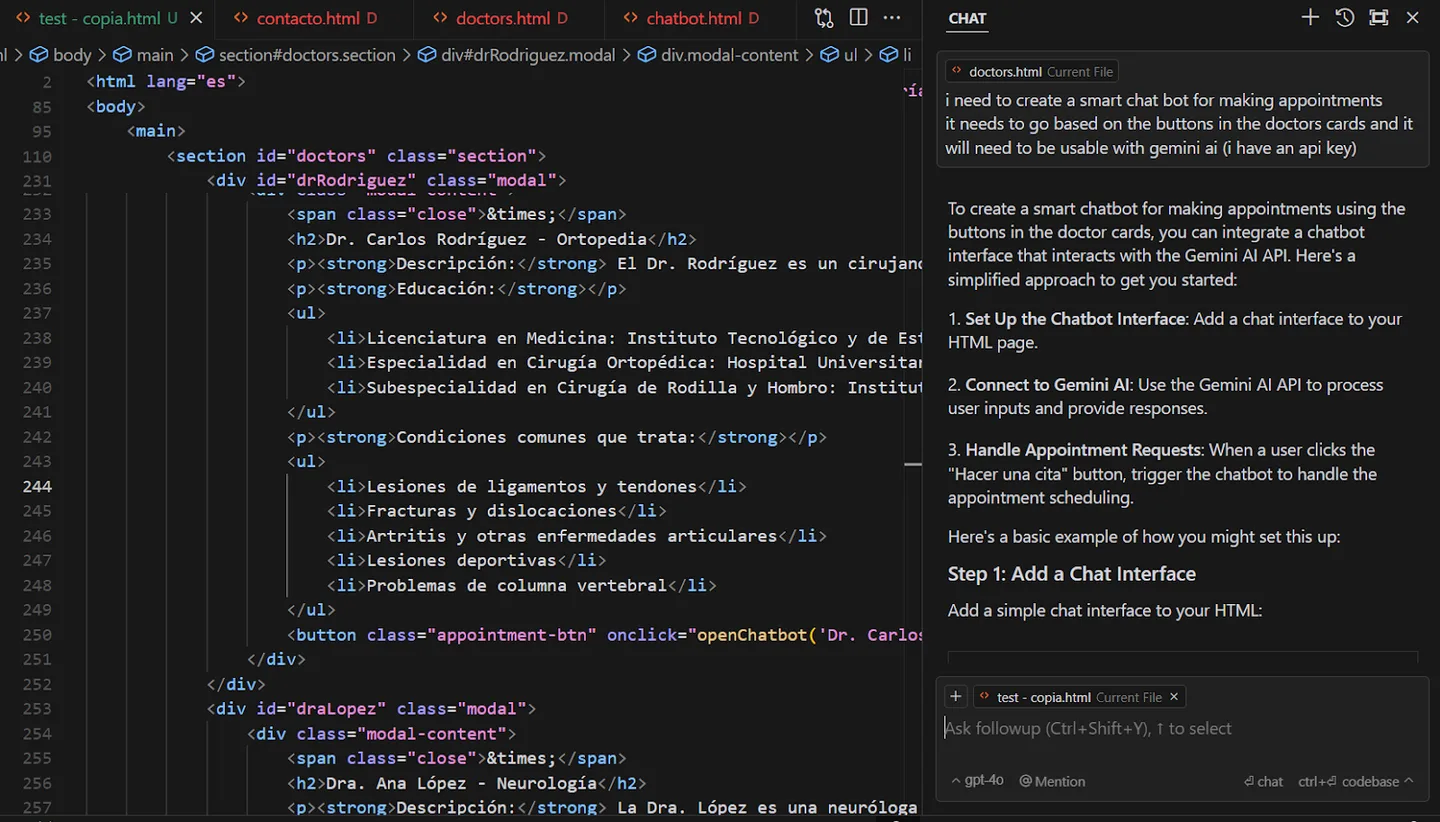
Cursor is a code editor based on Visual Studio Code with integrated AI assistance. In this project, I used it to ask questions, generate code suggestions and review errors. Those suggestions still needed testing and review: the editor supported the work but did not guarantee that the application was correct.
From the moment I installed it, familiarity with its interface allowed me to start using it without wasting any time. With a simple Ctrl + L, you could access your AI chat and receive help in real time. Additionally, the clean and efficient layout ensured that all tools were just a click away, removing any barrier to focusing on my project.
My Experience: Solving Problems and Learning New Skills
One of the biggest challenges I faced was adding a multipage navigation system to my web application. Although I had experience in statistical analysis, the complexities of web development were completely new to me. Cursor not only provided me with working code examples, but also explained how to structure routes and connect views cohesively.
Another challenge was implementing dynamic forms to collect data interactively. With the help of Cursor, I learned how to configure responsive forms based on user needs, which was invaluable experience for future projects.
Cursor and Security in Web Development
As I progressed in my project, I decided to integrate a database to manage medical appointments. This led me to worry about the data security. Cursor went beyond offering me immediate solutions; anticipated future problems and recommended practices such as data encryption and secure authentication, making sure my application was robust and reliable.
Integrating an authentication system for different types of users was another major challenge. Cursor helped me configure specific roles (doctors, patients, and administrators), manage sessions, and validate credentials efficiently.
Is Cursor the Ideal Tool for Programmers?
After completing my first web application, it became clear to me that Cursor is much more than a technical tool. Acts as a virtual mentor, guiding you through each stage of development, from the basics to the implementation of advanced functionality.
While it offers practical and personalized solutions, it also poses a challenge: avoiding complete dependence on AI. It is crucial to complement your suggestions with continuous learning and a deeper understanding of technical concepts.
Cursor not only makes developers' lives easier, it also transforms the way we approach programming problems. Whether you're a beginner or a seasoned pro, this tool can help you build projects faster, learn new skills, and ensure your code is efficient and secure.
If you are looking for a reliable partner for your development projects, Cursor is an option worth exploring.
What Can I Create with Cursor?
Thanks to Cursor, I was able to develop a functional web application in just a few days. If you want to see the result, you can visit my project here: Saturdays Medical Center.
Additionally, I have prepared a video where I explain how this web application works and how I used Cursor to solve the most important challenges. Don't miss it!
A history of the Saturdays.AI community. Originally published on Nov 16, 2024.
← More community stories