Make a Pokemon Game with Python, Google Colab and AI, step by step
I've created an interactive mini-game called Pokémon Quiz. The idea arose to combine my love for the classic Pokémon with a bit of Python programming, and I have done it all in Google Colab. It's nothing out of this world...
This archive includes automatic translations. Audio, video and text inside images remain in their original language.
I have created an interactive minigame called Pokémon Quiz. The idea arose to combine my love for classic Pokémon with a bit of programming in Python, and I have done it all in Google Colab. It's nothing special, but it's an excellent opportunity to experiment and learn. Furthermore, having the help of ChatGPT It makes it easy to organize ideas and structure code, allowing me to focus on the fun.
🔧 Tools Used
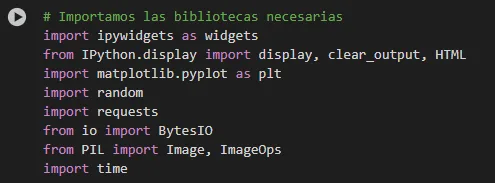
To put together Pokémon Quiz, I relied on several tools and libraries that helped me make everything work:
- Python🐍: The programming language I used to write the game code.
- Google Colab💻: The online environment where I tested and shared my interactive notebook.
- ipywidgets🎛️: These widgets made it possible to create a simple and fun graphical interface.
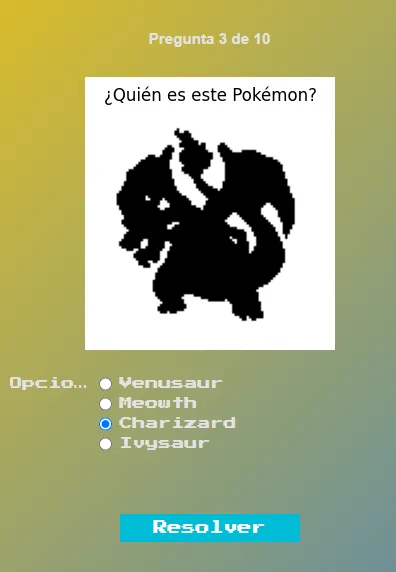
- Matplotlib📊: It allowed me to show images and graphics, such as the silhouette of Pokémon.
- Pillow (PIL)🖼️: With this library, I was able to process the images, download them and generate the famous silhouettes.
- PokeAPI🔗: The source of the official Pokémon sprites, so that the game had that authentic touch.
🎨Design and visual style
I wanted the game to not only work well, but also feel authentic and reminiscent of those old days. Therefore, I decided on:
- Retro Typography: I used the source «Press Start 2P« from Google Fonts, perfect to give it that classic look.
- Backgrounds and Colors: I chose a gradient background in yellow and blue tones, very much in the style of Pokémon, and added semi-transparent containers so that the elements stood out.
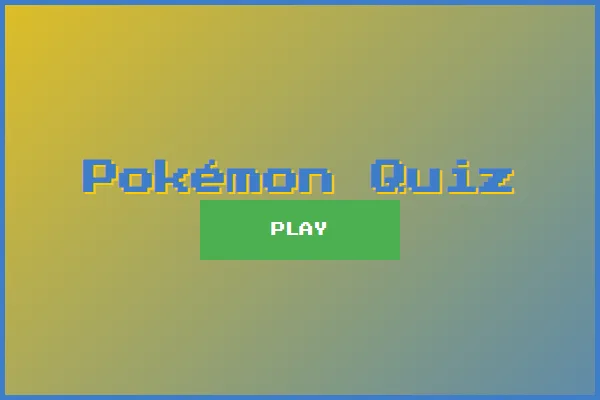
- Friendly Interface: From the home screen with the “PLAY” button to the selection of the Pokémon generation, each part was designed to make the user feel comfortable and, above all, have fun.
🏗️ How did I do it?
The development process was put together step by step, and here I will tell you about it in a simple way:
Project Organization: I started by creating a notebook in Google Colab, where I separated the code into sections: one to import the libraries, another to define the CSS styles, and others for the functions and main logic of the game. This helped me keep everything organized.
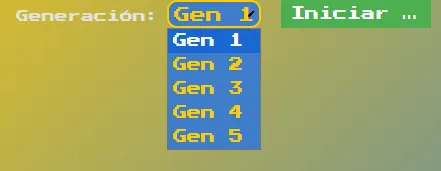
Preparation of Functions and Data: I developed functions to download images, convert them to the appropriate format for the widgets and generate the silhouettes of the Pokémon. I also defined dictionaries with the sprite URLs of the different generations (Gen 1 to Gen 5), which made adding new Pokémon very easy.
Creation of the Interface: I used ipywidgets to assemble each screen of the game:
- one splash screen with the title and a “PLAY” button.
- one generation selection screen to choose the group of Pokémon.
- The game screen, where the silhouette is shown and response options are offered.
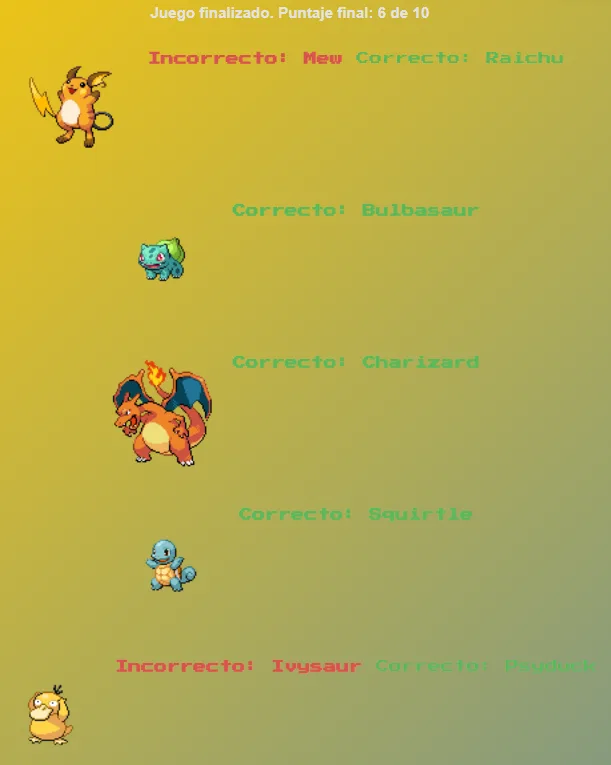
- and one summary screen which shows your score and details of each round.
- one splash screen with the title and a “PLAY” button.
Adjustments and Tests: Not everything went perfectly the first time. There were times when buttons didn't behave as I expected or options didn't update well. With several tests in Colab and some advice from ChatGPT, I fine-tuned every detail to make the experience as fluid as possible.
💡Prompt to ChatGPT example:
"El juego ya funciona, pero necesito un último ajuste: que toda la experiencia mantenga un estilo visual unificado con una estética inspirada en Pokémon. Quiero que se sienta como un videojuego, por lo que al iniciar, aparezca una pantalla con un botón 'PLAY' y, al hacer clic en él, comience el juego. ¿Puedes implementar estos cambios para lograr esa coherencia desde el inicio hasta el final?"As a result, ChatGPT He returned me this code where they are created so that the game looks as shown in the previous screenshots ensuring a coherent and attractive style:
display(HTML('''
'''))
🎯 Conclusion
Pokémon Quiz is the result of putting into practice ideas and tools that, although simple, were combined to create something entertaining and nostalgic. It's not just about code, it's about enjoying the process, learning from mistakes, and experimenting with creativity.
If you feel like taking a look or even trying and modifying the code, go ahead! Every change is an opportunity to learn and have fun.
🚀Try it yourself!
Would you like to experiment with the code?
👉Click here to open the notebook in Google Colab and try the game Pokémon Quiz.
A history of the Saturdays.AI community. Originally published on February 28, 2025.
← More community stories