
Discover How to Get the GitHub Student Developer Pack and Use Codex in VS Code
GitHub presents its Student Developer Pack with free access to professional tools and exclusive Codex benefits for students. An opportunity to learn and create without limits!
This archive includes automatic translations. Audio, video and text inside images remain in their original language.
If you are taking your first steps in the world of development or have been coding for a while, there is a tool that can make a difference in your learning: the GitHub Student Developer Pack. It's not just a set of resources, it's a gateway to premium tools that would normally be paid for, but that GitHub gives away to students.
The best? Includes GitHub Copilot, Visual Studio Code, Microsoft Azure, and much more.
And if we add to that the extension Codex for VSCode, which allows you to integrate ChatGPT directly into your editor, the result is an AI-powered development experience.
Why Request this Pack if you are a Student
GitHub created this pack with a clear mission: democratize access to professional tools FOR STUDENTS. Learning to program not only requires time and effort, but also resources that are often paid. This pack is the best option to eliminate that barrier.
How to Get the GitHub Student Developer Pack
Obtaining it is much easier than you think, following the steps below you will have no problem getting the Pack:
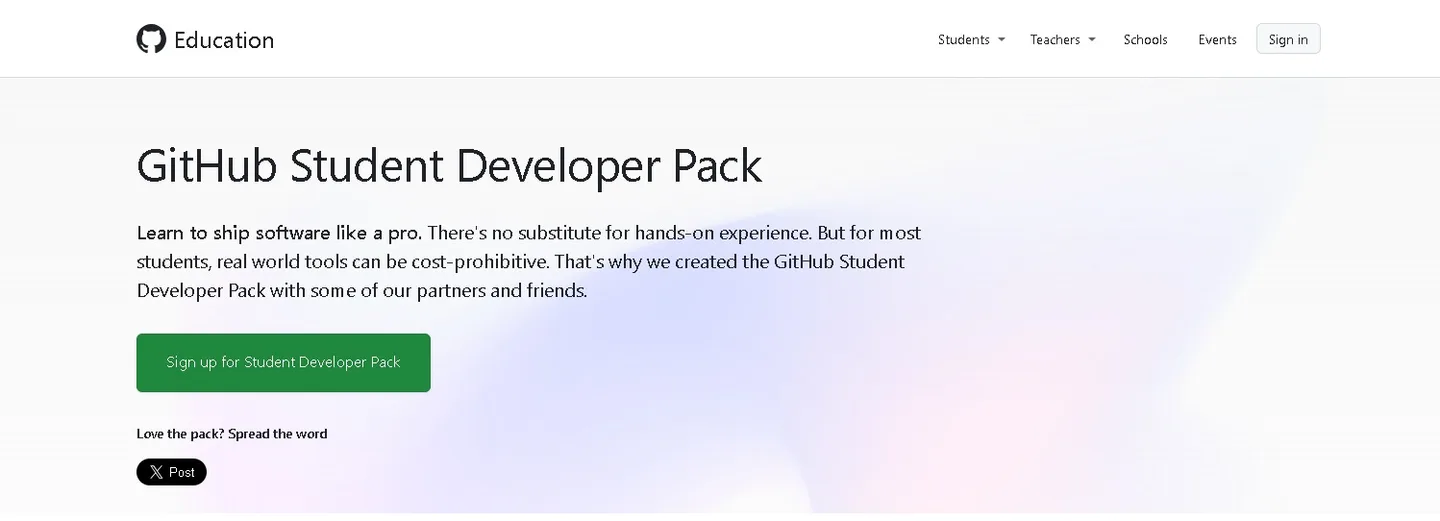
1. Access the official site: Go to the following link: https://education.github.com/pack .
Once inside, click on “Sign Up for Student Developer Pack”.
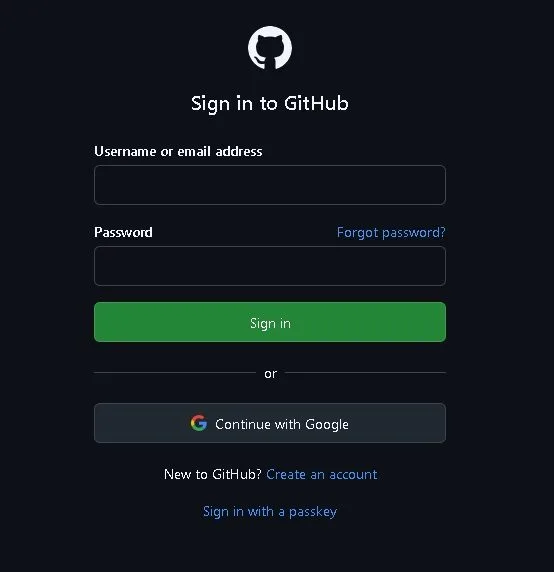
2. Sign in: If you already have a GitHub account, simply log in. If not, believe it.
TIP: Use your institutional email (.edu, .cat, etc.) to facilitate verification.
3. Application begins: Click “Start application” and select your role as a student. Then, find your school in the list or add it manually.

4. Check your institutional email: If your main account is not that of your institution, you can add it as a secondary account in the “Emails” and verify it.
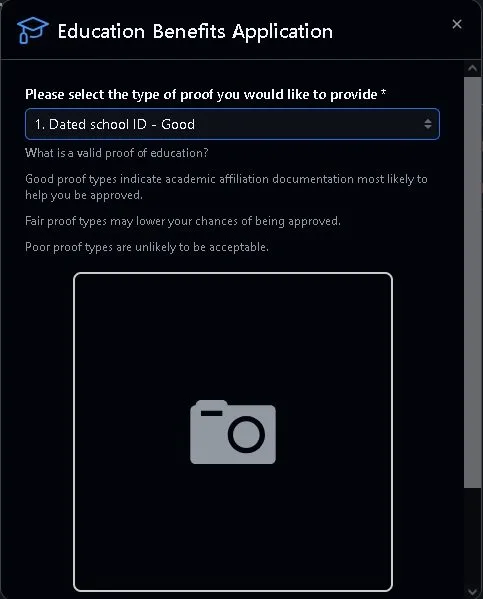
5. Attach documentation: Upload a credential, proof of enrollment or any document that proves that you are a student. GitHub will tell you which type of testing is most effective.
6. Allows location: GitHub will ask you for your location to verify that you are at the institution. If you're not there, you can explain why (online classes, VPN, etc.).
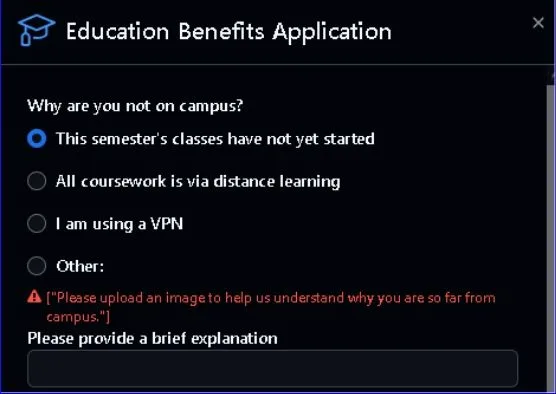
7. Wait for verification: Once the application is submitted, you will receive an email when your account has been approved. And that's it! You now have access to the entire pack.
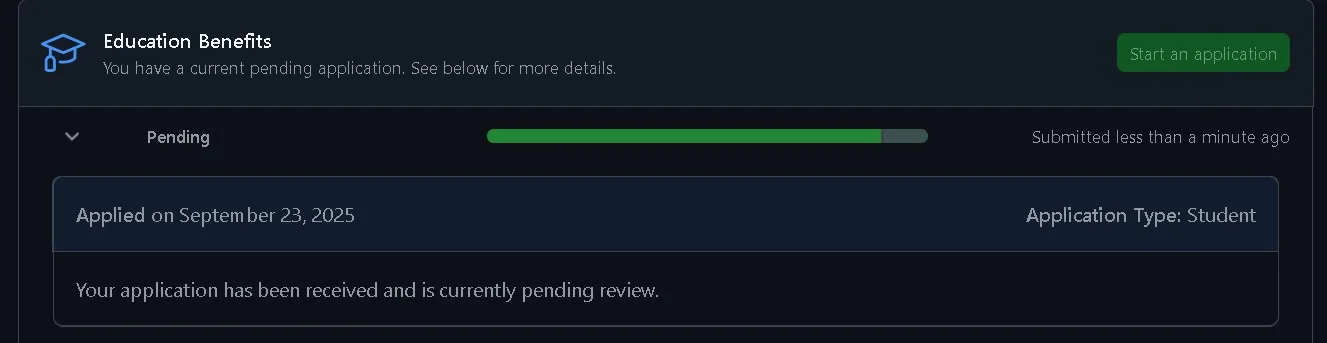
Benefits Included in the Pack
Learn faster: With tools like GitHub Copilot or Codex, you can understand code, generate functions, and resolve errors with the help of AI.
Build real projects: Whether it is a website, an app or a bot, you have access to hosting, databases and collaborative environments.
Prepare for the world of work: Many of these tools are industry standard. Using them now gives you an advantage when looking for internships or your first job.
Save money: If you had to pay for everything included in the pack, you would be spending hundreds of euros a year.
And Codex in VS Code?
Codex It is the perfect complement. While the Student Pack gives you access to tools, Codex gives you smart assistance within the editor. What is it for?
- Resolve doubts without leaving the editor: You can ask Codex what a function does, how to use an API, or how to fix a bug.
- Automatically generate code: Describe what you want to do and Codex proposes a solution.
- Learn while you do: It's like having a mentor who explains things to you while you program.
Codex Not only does it allow you to do the previous functions, but it also integrates with Visual Studio Code extensions that enhance this experience.
An example of how these tools can transform self-study learning is: «How Cursor Transformed my Experience Creating a Web Application from Scratch», where the impact of Cursor is explored —an extension based on artificial intelligence— in the development of real projects.
To start using these useful plugins in VSCode You will find the steps below.
How to Install Codex in Visual Studio Code
1. Find the extension in VS Code: Open VSCode, go to the extensions section and search for “Codex – OpenAI”. Click “Install”.
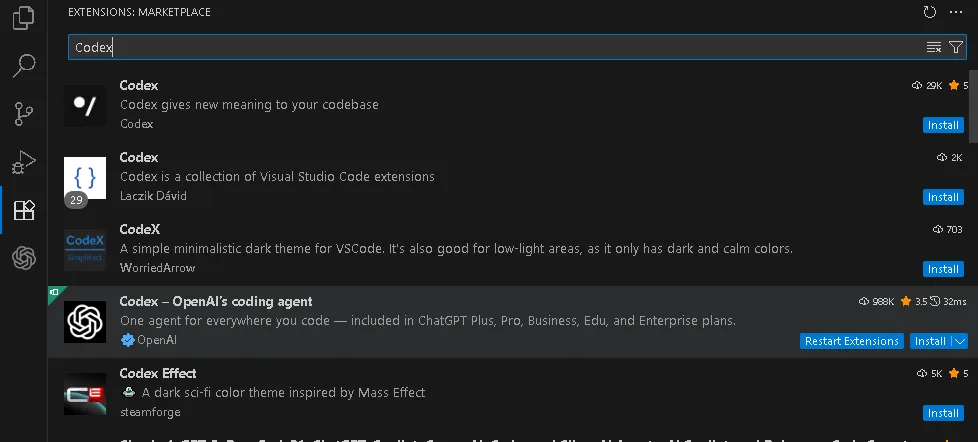
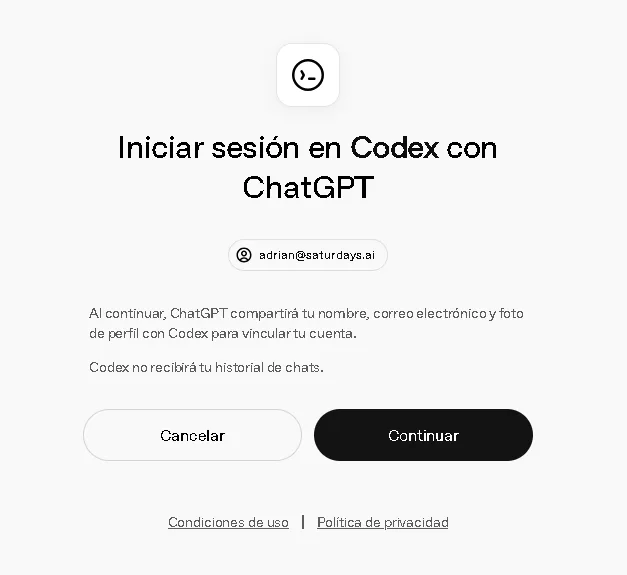
2. Log in to ChatGPT: Once installed, you will see the ChatGPT icon in the sidebar. Click and follow the instructions to log in.
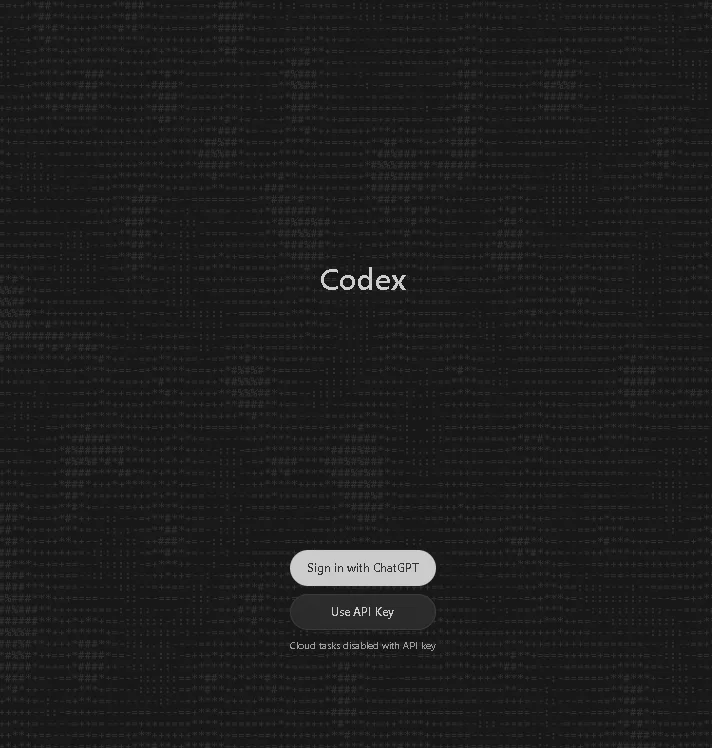
3. Link your account: Enter your credentials ChatGPT and accept the permissions. Codex It does not access your chat history, it only links your account to be able to use it from VSCode.
Your Initiation to the World of Professional Development
GitHub Student Pack and Codex They are not just technical resources, they are learning accelerators, bridges to the professional world, and tools to create NO LIMIT. If you are a student and interested in technology, this combo is an opportunity that you should not miss!
A history of the Saturdays.AI community. Originally published on September 25, 2025.
← More community stories