From existing project to digital product: how I built the Energía en Acción web app
How the Energía en Acción project found its digital space: a platform to connect students, mentors and organizations around shared projects.
This archive includes automatic translations. Audio, video and text inside images remain in their original language.
In this case, the idea was not born from scratch. Energía en Acción already existed as a project; what it needed was a digital layer that would help better organize its operation.
That's where the web app came in: not as a simple support page, but as a useful tool for everyday life, designed to give more clarity to students, mentors and organizations.
THE STARTING POINT
From the beginning I was clear: I did not want a website that only explained the project externally, but a tool that also served internally.
If a student discovers a project and begins to participate, that experience should continue within the same system. In other words, the project already existed; What was missing was a web app capable of giving it an operational structure.
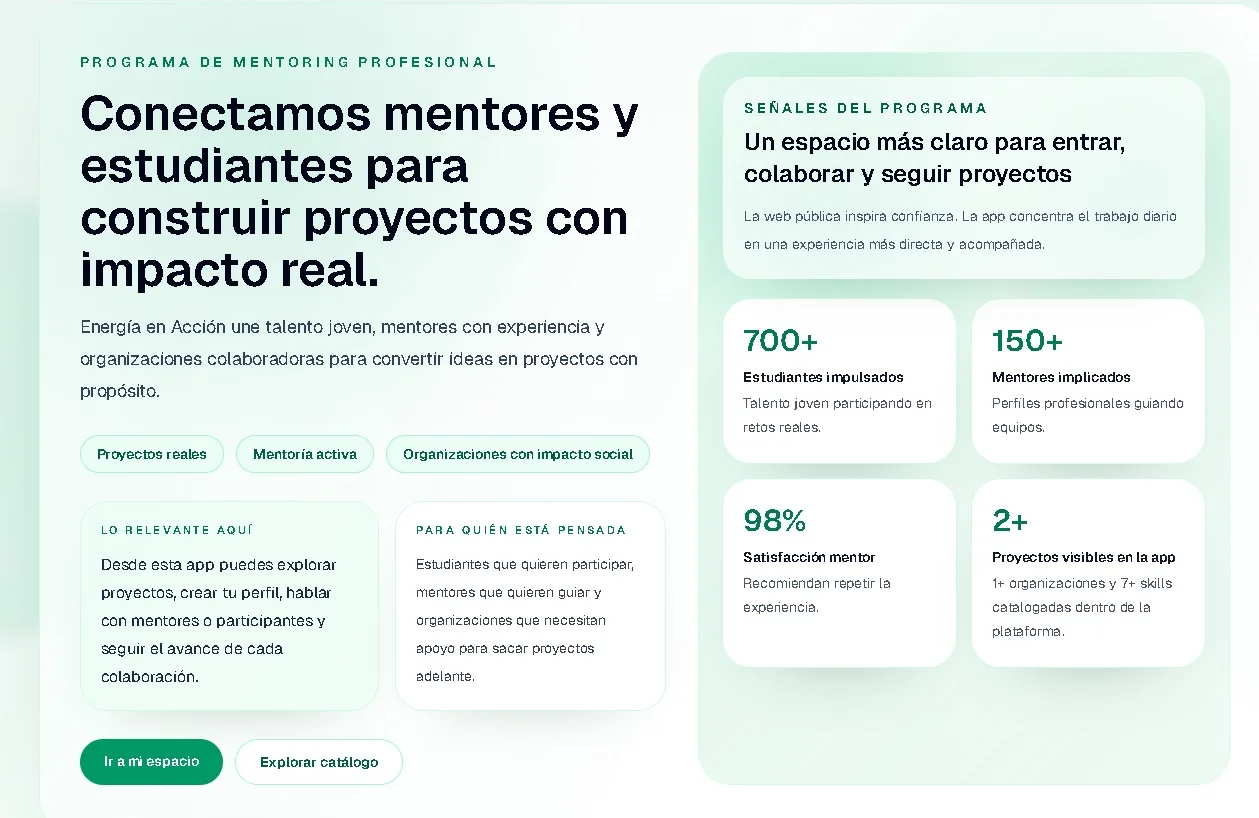
WHAT DOES THE APP DO?
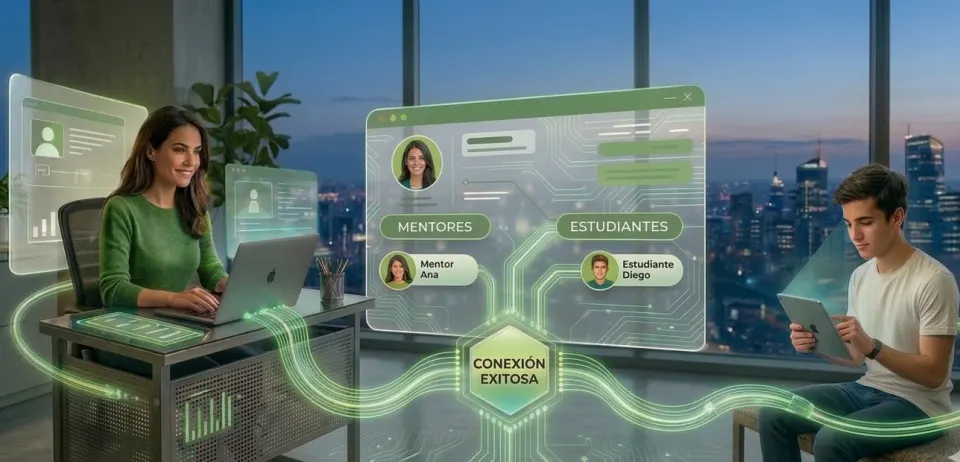
The web app is designed to connect students, mentors and organizations. From the beginning it was clear that not everyone should navigate the platform in the same way, because each one arrives with a different need.
In the case of students, the journey goes from registration to profile and from there to the exploration of projects. When a student applies, the app stops being just a catalog and begins to function as a tracking space.
In the case of mentors, the logic is different. They do not enter so much to discover as to accompany, see what projects they participate in, detect interest and share updates without depending on external channels.
The platform also considers the role of organizations, although in this first version the main experience is more focused on students and mentors.
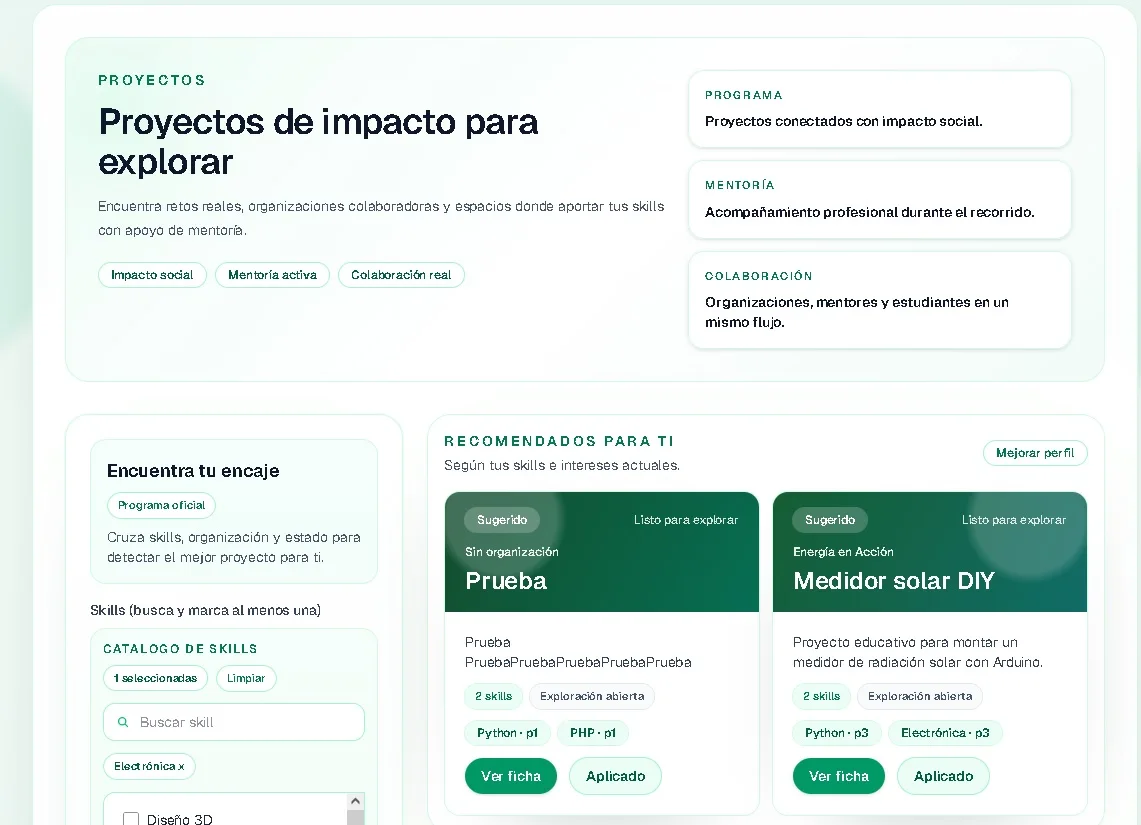
THE TOOLS I USED
To build the web app I worked with Next.js, React, TypeScript, Prisma and MySQL. Additionally, I used Zod for validations, JWT for session management and Tailwind CSS for the interface.
More than accumulating tools, what I was looking for was a stable technical base to be able to work with roles, data, messaging and different routes within the same application.
HOW I DESIGNED THE ARCHITECTURE
From the beginning I tried to make the project ordered. I wanted to avoid an app where everything ended up mixed together and each new functionality made the previous one more complicated.
That's why I kept a clear separation between the visual part, the application logic, the API and the data model. That allowed me to move forward with more control and build a small, but well-structured MVP.
AUTHENTICATION, SESSIONS AND ROLES
AUTHENTICATION, SESSIONS AND ROLES
In an app like this, logging in wasn't the most important thing. The real challenge was deciding well what each person can do and in what context.
The session is resolved with JWT saved in an httpOnly cookie, which allows validating access and protecting routes depending on the role.
It may seem like a small detail, but on a platform with multiple profiles this type of control is what makes the experience feel truly coherent.
One of the most important parts was to protect the routes well according to the profile. This snippet summarizes how the app checks the session and redirects each user to their correct space.
`const PROTECTED = ["/dashboard", "/profile", "/projects/new"]; export async function proxy(req: NextRequest) { const { pathname } = req.nextUrl; const needsAuth = PROTECTED.some( (p) => pathname === p || pathname.startsWith(p + "/") ); if (!needsAuth) return NextResponse.next(); const session = await readSession(req); if (!session) { return NextResponse.redirect(new URL("/auth/login", req.url)); } if (pathname.startsWith("/dashboard/student") && session.role === "mentor") { return NextResponse.redirect(new URL("/dashboard/mentor", req.url)); } return NextResponse.next(); }`
It may seem like a small logic, but this type of control is exactly what avoids incoherent paths when several roles coexist within the same product.
WHAT MATTERS: REAL USER FLOWS
Beyond the technical part, what interested me was that the app told a clear story of use.
In the case of students, the journey goes from access to the profile, from the profile to the catalog and from there to the dashboard. The idea was to avoid that feeling of “I applied and I don't know what's happening.” That is why the panel does not function only as a summary, but as a space where context is recovered.
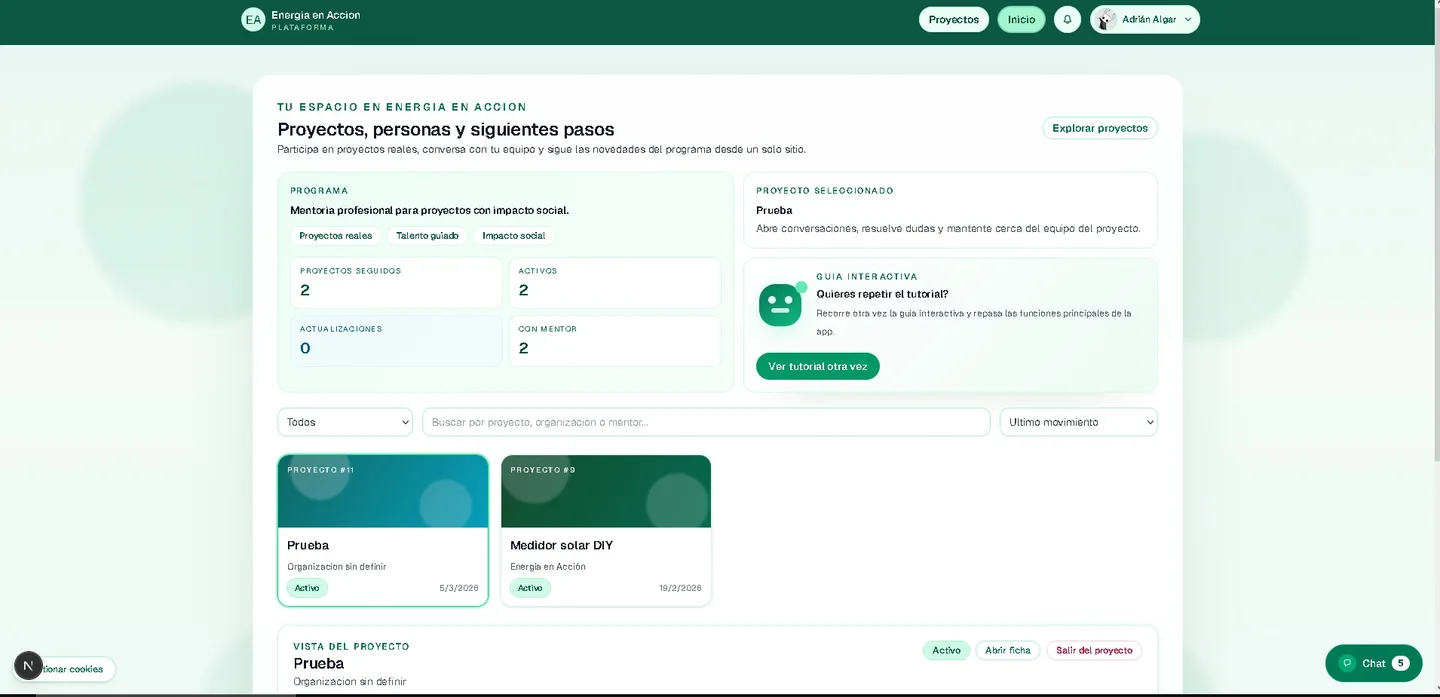
In the case of mentors, the flow is more oriented accompaniment. They come in to see projects, detect interest, open conversations and keep track from one place.
Your dashboard is designed more as a work surface than as an informational page.
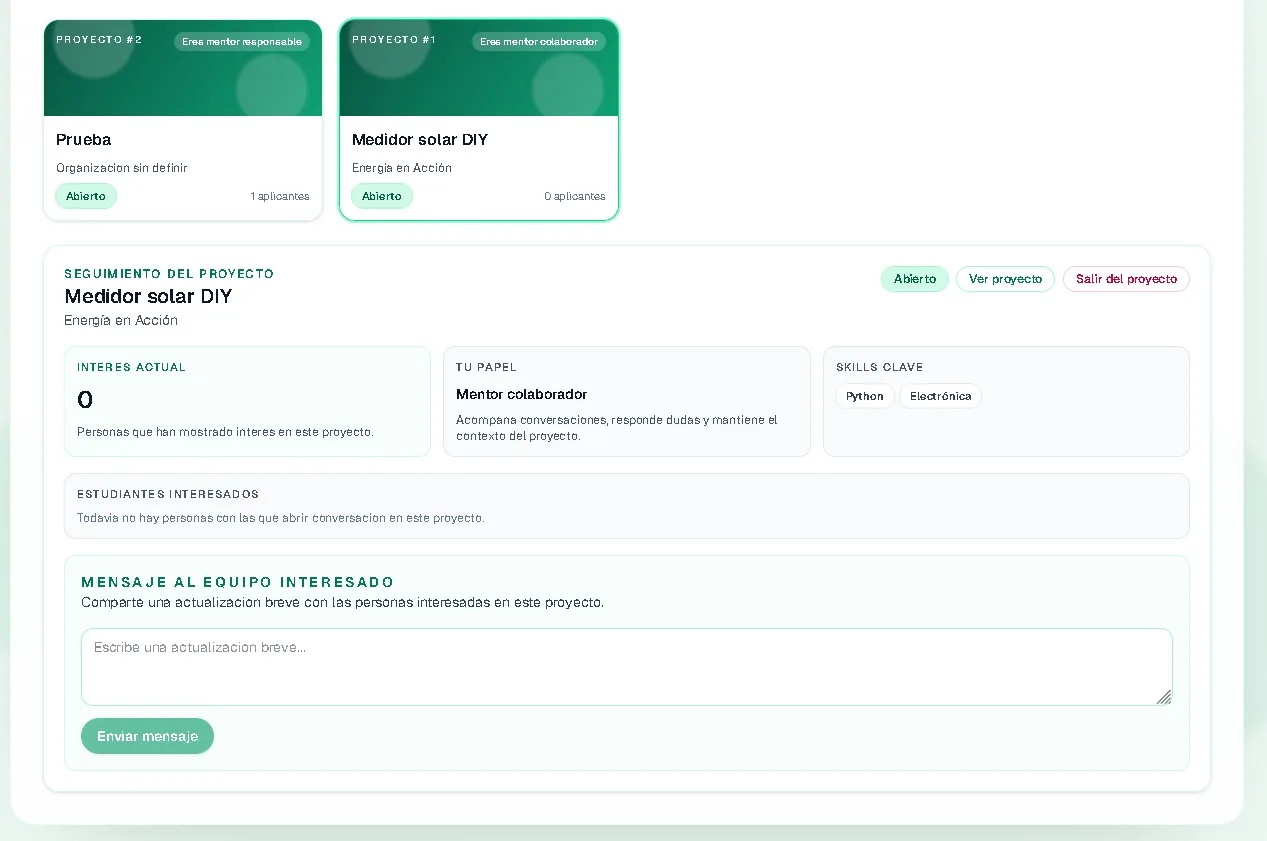
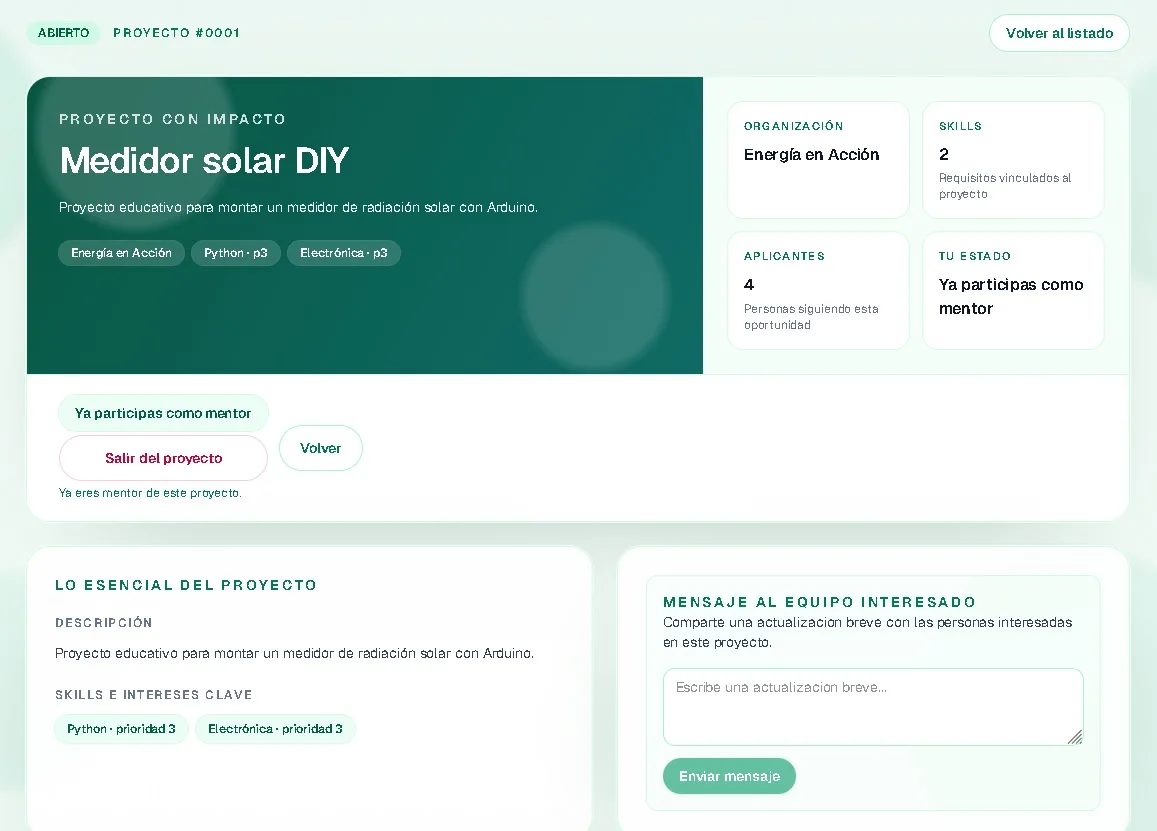
Then there is one's own project sheet, which acts as a central unit within the platform. The context of the job is concentrated there: description, status, skills and actions available according to the role.
MESSAGING AND COMMUNICATION IN THE APP
Another important part was to avoid the collaboration breaking down right after it started. If everything ended up depending on messages outside the platform, the app lost part of its value.
That's why I integrated a system of internal messaging, but connected to the real context of the project and not to a generic logic of contact between users.
Furthermore, the part of communications I solved it by reusing that same messaging base, with an internal distinction to treat certain updates as project messages. It was a simple solution, but very useful for this phase.
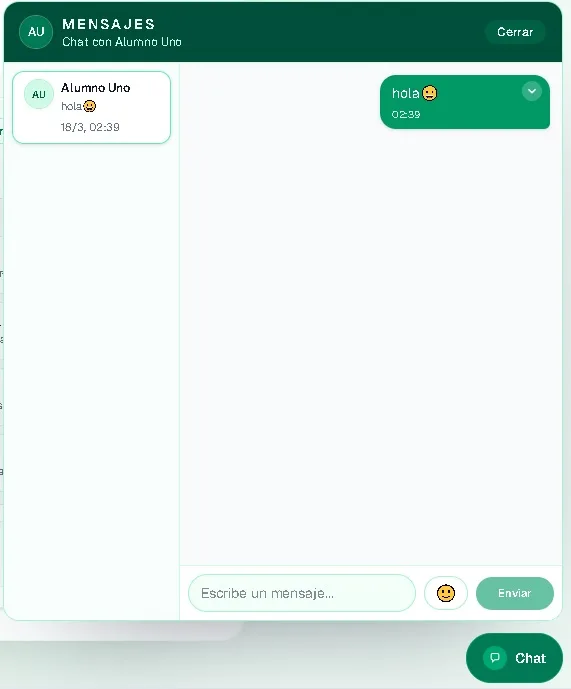
In the messaging part, I opted for a quite pragmatic solution: reuse the messaging infrastructure to send communications linked to a specific project.
``const bodyWithFlag = `[BC:P${projectId}] ${parsed.data.message}`; await prisma.messages.createMany({ data: applications.map((app) => ({ sender_id: BigInt(session.uid), receiver_id: app.student_id, body: bodyWithFlag, })), }); return NextResponse.json({ ok: true, sent: applications.length });``
That allowed me to solve a real MVP need without setting up a parallel system just for internal updates.
ONBOARDING IS PART OF THE PRODUCT
In a project with multiple roles, I didn't want people to have to intuitively figure out how to use the platform.
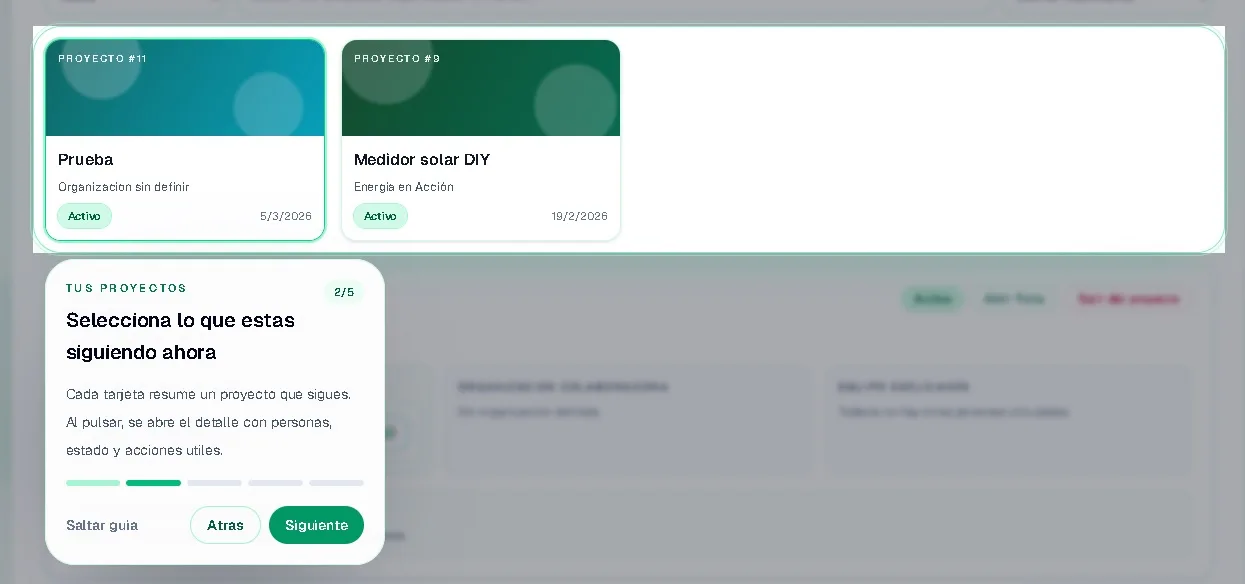
That's why I added tours of onboarding on key screens such as dashboards and the project catalog. I didn't see it as an aesthetic extra, but as an important part of the experience.
THE REAL PROBLEMS I ENCOUNTERED
As is often the case, the most interesting part was not just building screens, but getting the application to respond well when it started to behave like a real system.
One of the focuses was overall robustness: Authentication, sessions, role protection and response of sensitive endpoints. I wasn't just interested in the app looking good, but also in being reliable when running.
More specific settings also appeared, such as the behavior of the system when the database was not available. There I was interested in the app degrading well and that the diagnosis was clear.
Another important adjustment appeared when thinking about the system really working, not just locally with everything perfect. The healthcheck now responds clearly when the database is not available.
``export async function GET() { try { const [{ now }] = await prisma.$queryRaw<{ now: Date }[]>`SELECT NOW() AS now`; return Response.json({ ok: true, database: "up", dbTime: now }); } catch { return Response.json( { ok: false, database: "down", error: "Database unavailable" }, { status: 503 }, ); } }``
It is not a functionality visible to the end user, but it is one of those decisions that make the difference when it comes to diagnosing, deploying and maintaining an application.
HOW CODEX HELPED ME DURING DEVELOPMENT
Codex was a real help in several phases of the project. It helped me review the structure of the app with more perspective, map routes, components and shared logic, and detect adjustments more clearly.
It also helped me with the more practical part of development, generating implementation snippets and unlocking code approaches that allowed me to move faster.
And it also had an important role in the end: reviewing, validating and transforming part of the technical basis of the project into documentation and explanations that were easier to communicate.
And for those who want to go a step further and set it up on their own, I will also leave it linked an article where I explain how to install the application step by step.
WHAT I CHECKED BEFORE CALLING IT READY

Before closing this phase of the project, I reviewed the application as if I were going to hand it over for real validation. I passed lint, I checked the build production and checked the behavior of the most important endpoints.
The result was good at the application level: it compiles, responds and maintains its main structure well. To have full end-to-end functionality, however, the data environment had to be properly built.
THE BEST PART OF THE PROJECT
What I like most about the Energía en Acción web app is that it doesn't feel like a sum of disconnected screens.
It has a clear narrative: you enter, discover projects, participate, talk to other people and follow the context from the same place.
CONCLUSION
Building this web app was a way to give digital structure to a project that already had a real base.
More than creating a beautiful website, it was about building a useful tool so that students, mentors and organizations could move with more clarity and less friction.
Energía en Acción app demo
A history of the Saturdays.AI community. Originally published on March 18, 2026.
← More community stories