Create a web wiki of your favorite game or content following these steps (and with AI)
Have you ever wanted to create a wiki and didn't know where to start? Think of it as a thematic museum: you choose the collection (the theme), design the tour (the navigation), and curate each piece (the detail pages). From…

This archive includes automatic translations. Audio, video and text inside images remain in their original language.
In this article you'll find a clear, actionable guide to building a modern wiki with shareable search, reusable galleries, detail pages, interactive map, and a trivia minigame. All with Vite + React Router and a boost from AI.
Below I will show you how I made mine based on one of my favorite video games: Hollow Knight .
You can access the Wiki from the following links to view the result and all the content in full before explanation:
From the Idea to the Living Site
Creating a wiki is like setting up a thematic museum: you choose the collection (your theme), you design the route (the navigation) and curate each piece (the detail pages).
The good news?
Today you can build it quickly with Vite + React, publish it for free on GitHub Pages and enrich it with “surprise” features such as interactive maps, shareable search by URL and a trivia mini-game to learn by playing.
The technical guide you have at hand already gives you the skeleton with routes, styles, image loading and deployment, so you can replicate the project from scratch without getting lost in the configuration.
Why a wiki with the help of AI?
AI does not “write for you”; It speeds you up and maintains quality as content grows. These are reasons and practical use cases:
You start faster: The AI suggests an initial index and helps you organize ideas. You go from “I have a lot of notes” to “I already have a structure.”
You write more fluently: Convert loose notes into clear texts with the same tone. You decide the style; AI helps you maintain it.
Everything is more uniform: Provide titles, slugs, and short summaries to make lists look clean and easy to navigate.
Less errors, more care: Report broken links, missing alt-texts, and missing images. It's like a kind reviewer who doesn't get tired.
Gives you new ideas: Suggest trivia questions, search synonyms, and little improvements you hadn't thought of.
You are still in charge: AI accelerates, but does not replace your judgment. You choose what goes in, what gets changed, and how the story is told.
In summary: AI doesn't make the wiki for you; makes it easier, faster and more enjoyable to build.
Quick overview of the project
Product: site with two main views
- Wiki: index, galleries by sections and detail pages.
- Trivia: configurable game (category/difficulty/amount) with results.
Data: versioned JSON files in the repository.
Interface- Reusable components and consistent styles.
Navigation- Clear routes for cover, sections, detail, map and trivia.
Publication- Ready to easily deploy to GitHub Pages.
AI: support for structuring, writing and reviewing content.
Once we have a clear idea, we can start creating the folder structure. AI can be a fundamental part of the next step, since it will help you structure it in an efficient way:
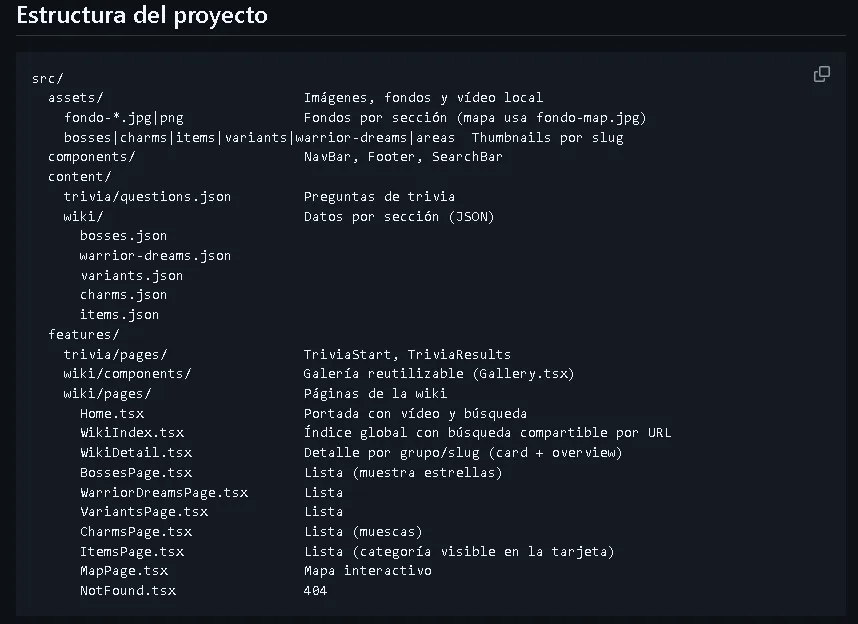
Project Start
The first thing we need is to have the base ready to start locally:
- Install dependencies:
npm install - Boot into dev:
npm run dev - Production build:
npm run build - Preview the build:
npm run preview
Minimum structure we use:
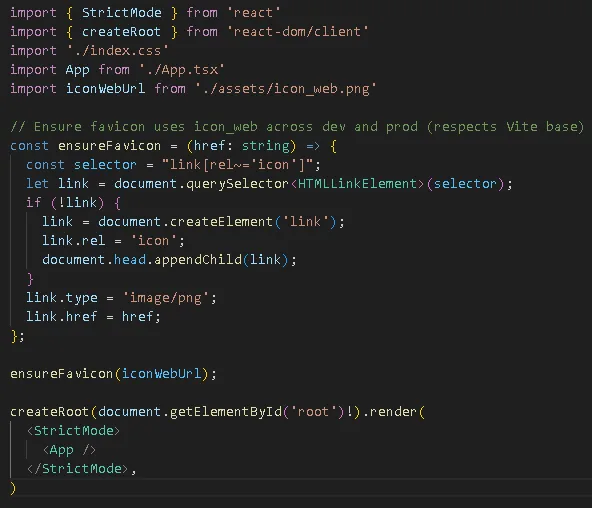
src/main.tsx- Mount the app and apply index.css.
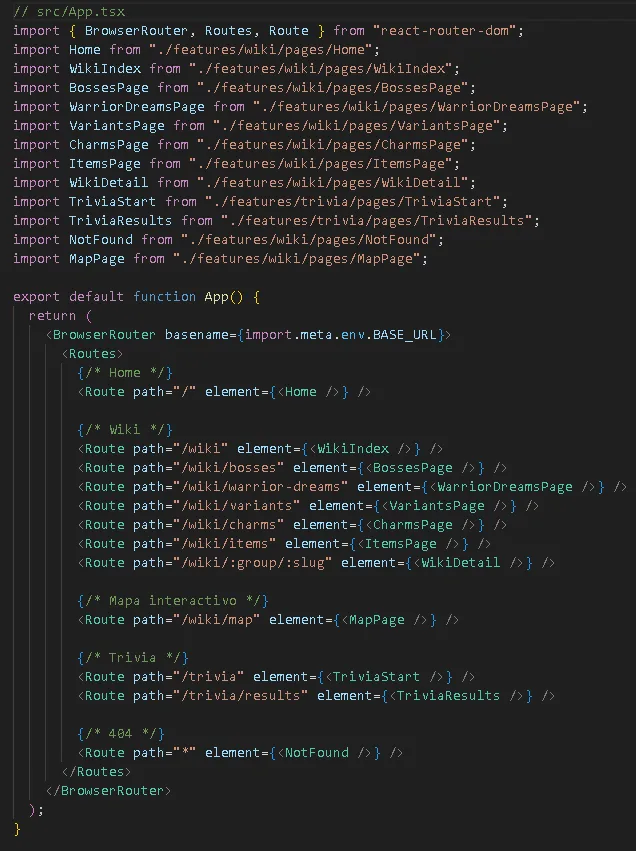
src/App.tsx- Defines routing with React Router.
We use BrowserRouter basename={import.meta.env.BASE_URL} to make it work in GitHub Pages under /repo.
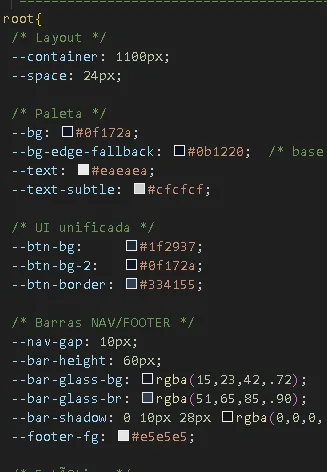
src/index.css: global styles, CSS variables and layouts (grid/gallery, detail, hero, navbar…). Below is a small example of the CSS, (you will find it complete in my GitHub repository):
Routing and Main Pages
| Route | Page (component) | Function |
|---|---|---|
/ |
Home.tsx |
Cover with background video and quick search engine. Entrance to the rest of the site. |
/wiki |
WikiIndex.tsx |
global index; “linkable” search (status taken from the URL, e.g. ?q=). |
/wiki/bosses |
BossesPage.tsx |
List of bosses (cards with stars). |
/wiki/warrior-dreams |
WarriorDreamsPage.tsx |
List of the “warrior-dreams” group. |
/wiki/variants |
VariantsPage.tsx |
List of variants. |
/wiki/charms |
CharmsPage.tsx |
List of charms (samples). |
/wiki/items |
ItemsPage.tsx |
List of items (category visible on the card). |
/wiki/:group/:slug |
WikiDetail.tsx |
Detail by group and slug (card + overview + chips). |
/map |
MapPage.tsx |
Interactive map with toolbar and detail panel. |
/trivia |
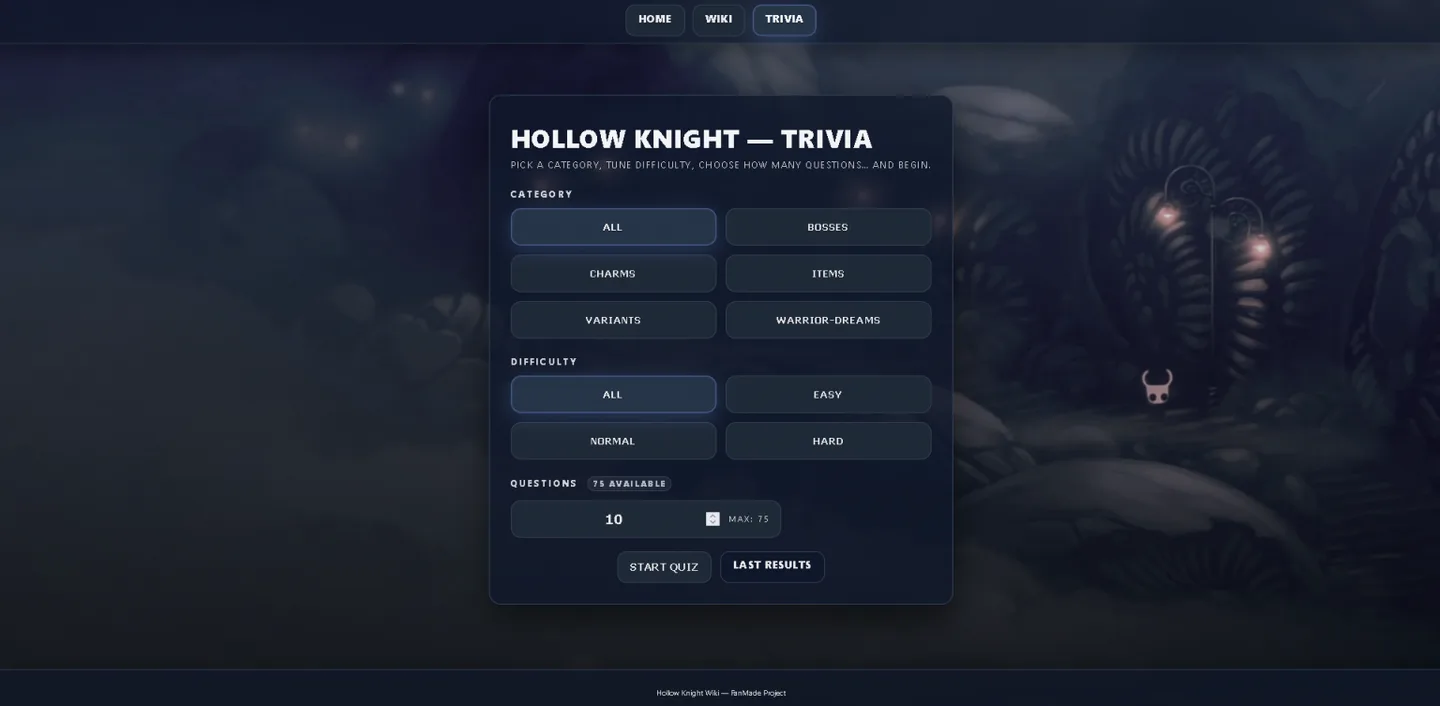
TriviaStart.tsx |
Initial trivia screen (settings/quantity). |
/trivia/results |
TriviaResults.tsx |
Trivia results/summary. |
* |
NotFound.tsx |
404. |
Cross Pieces
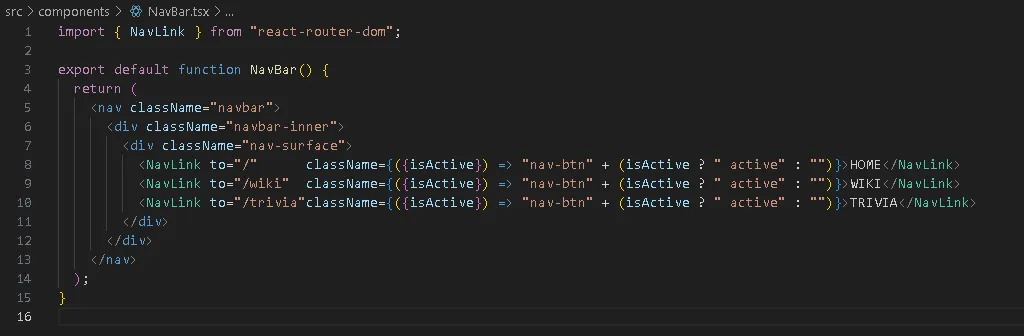
NavBar.tsx: HOME/WIKI/TRIVIA with NavLink.
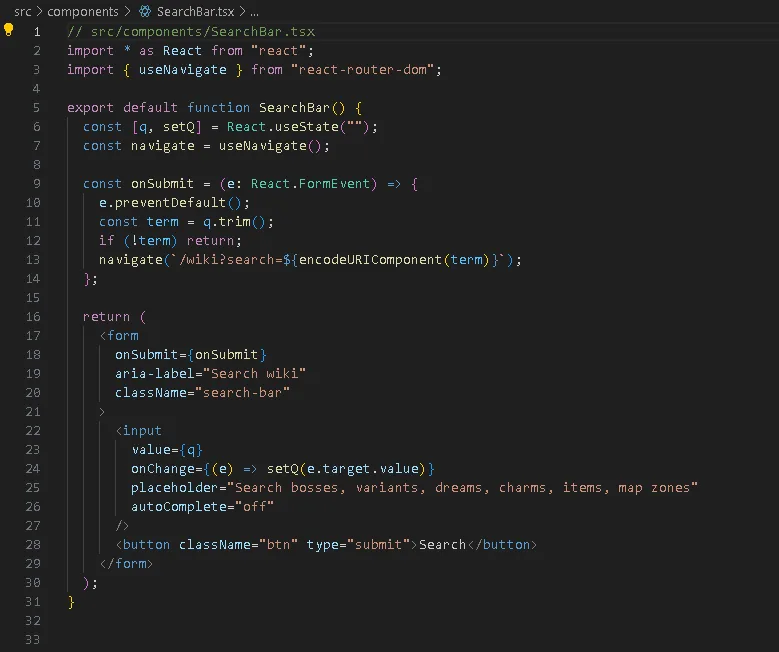
SearchBar.tsx: input which, upon submission, navigates to /wiki?search=… (the URL is the “source of truth”).
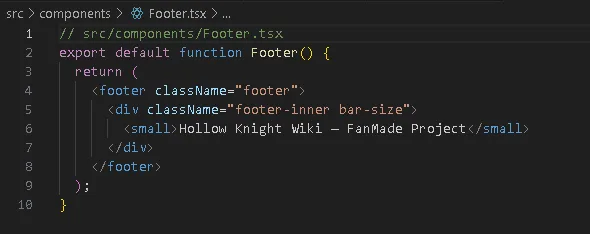
Footer.tsx: info that is maintained throughout the wiki.
Page: HOME
Presentation screen with full screen animated background, logo, text, search bar and two CTAs towards the wiki and trivia.

Wiki index: WIKINDEX
The Home search takes you to /wiki?search=TERM. The index reads that parameter with useSearchParams, normalizes (lowercase + no diacritics) and filters by title, summary or slug on multiple datasets. Advantage: the search goes in the URL and can be shared or refreshed without losing status.
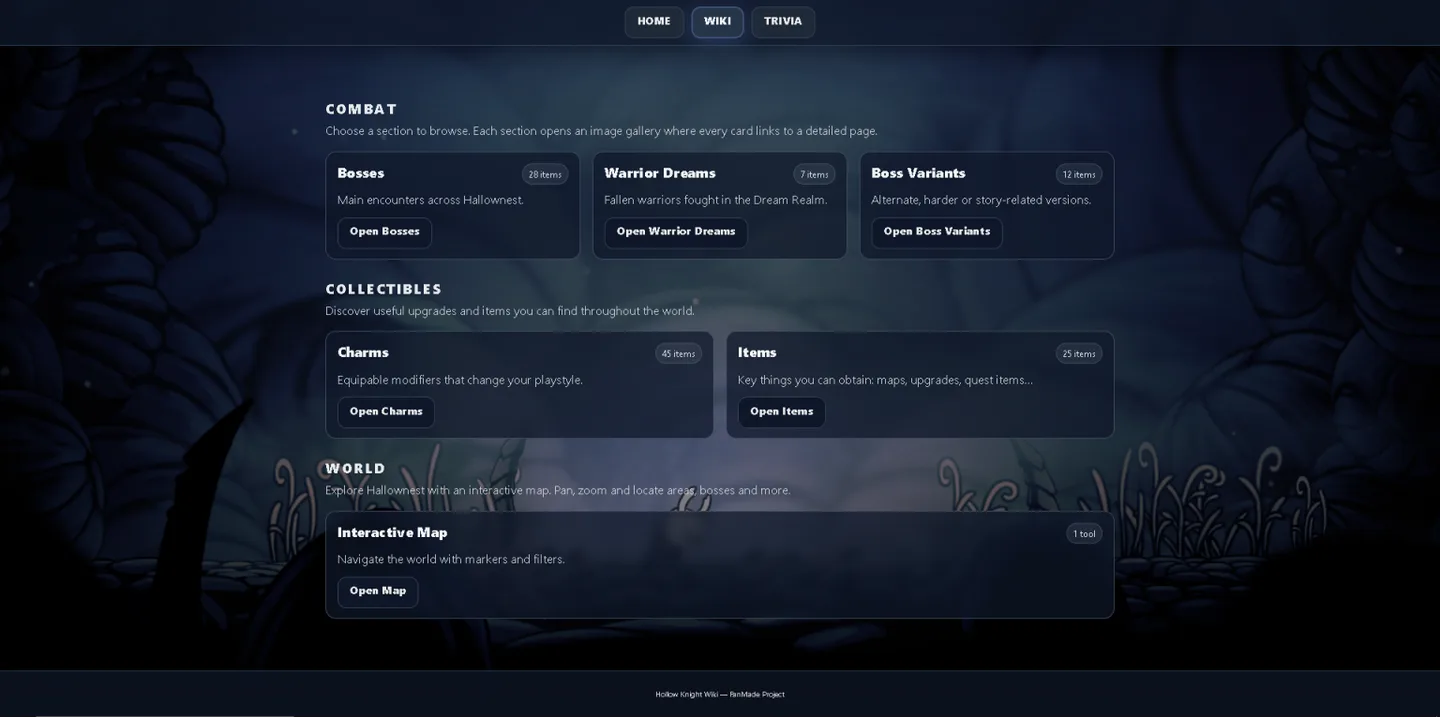
Section Pages (Lists)
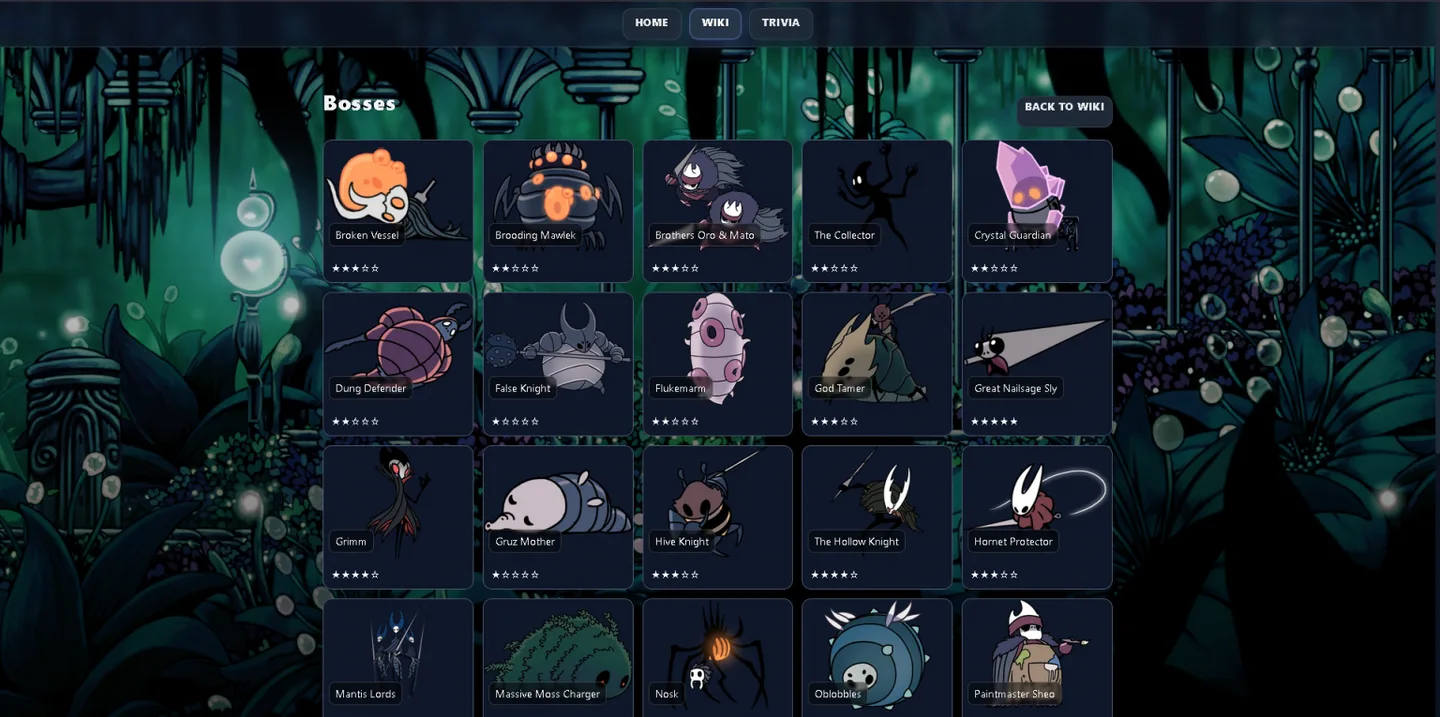
They all share a pattern: they put a specific background (backgroundX) in –page-bg, and render with its data and images:
Bosses
List of the game's bosses rated with difficulty stars.
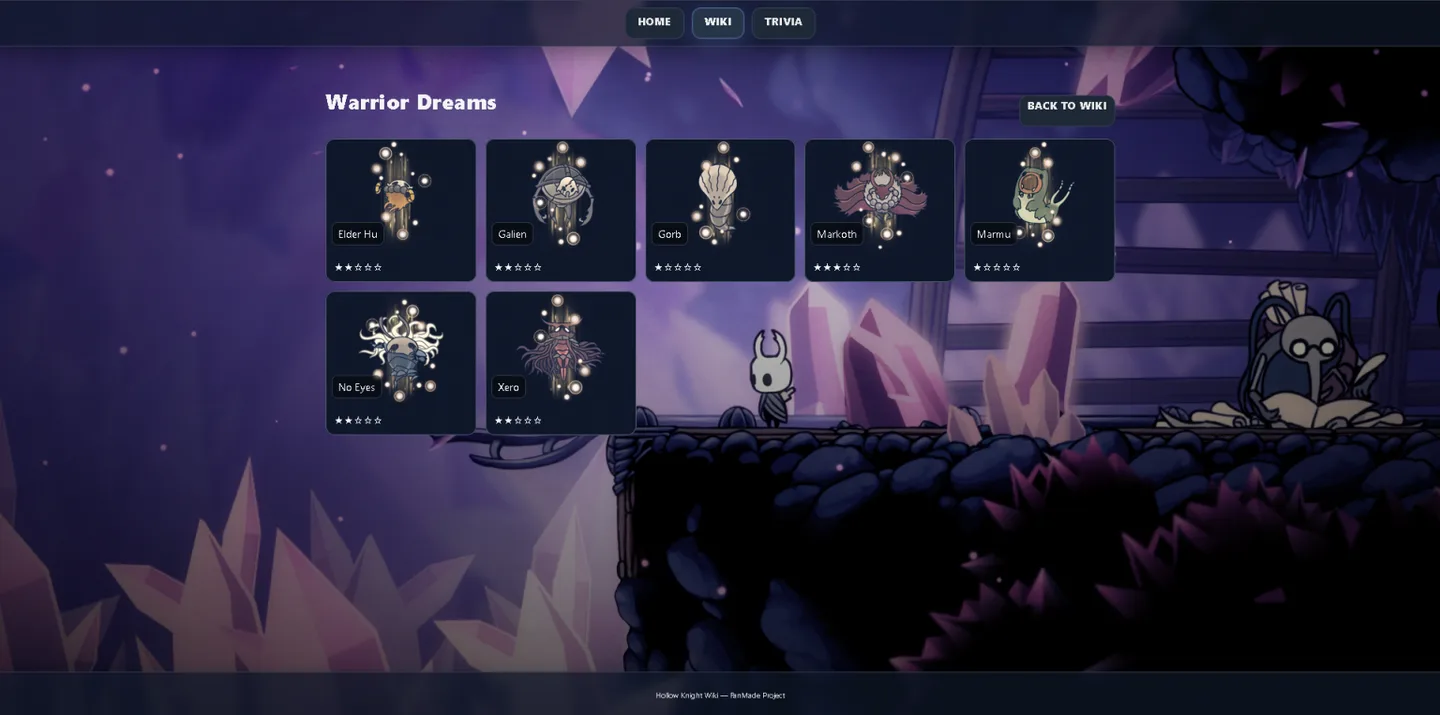
Warrior Dreams
List of dream bosses rated with stars of difficulty.
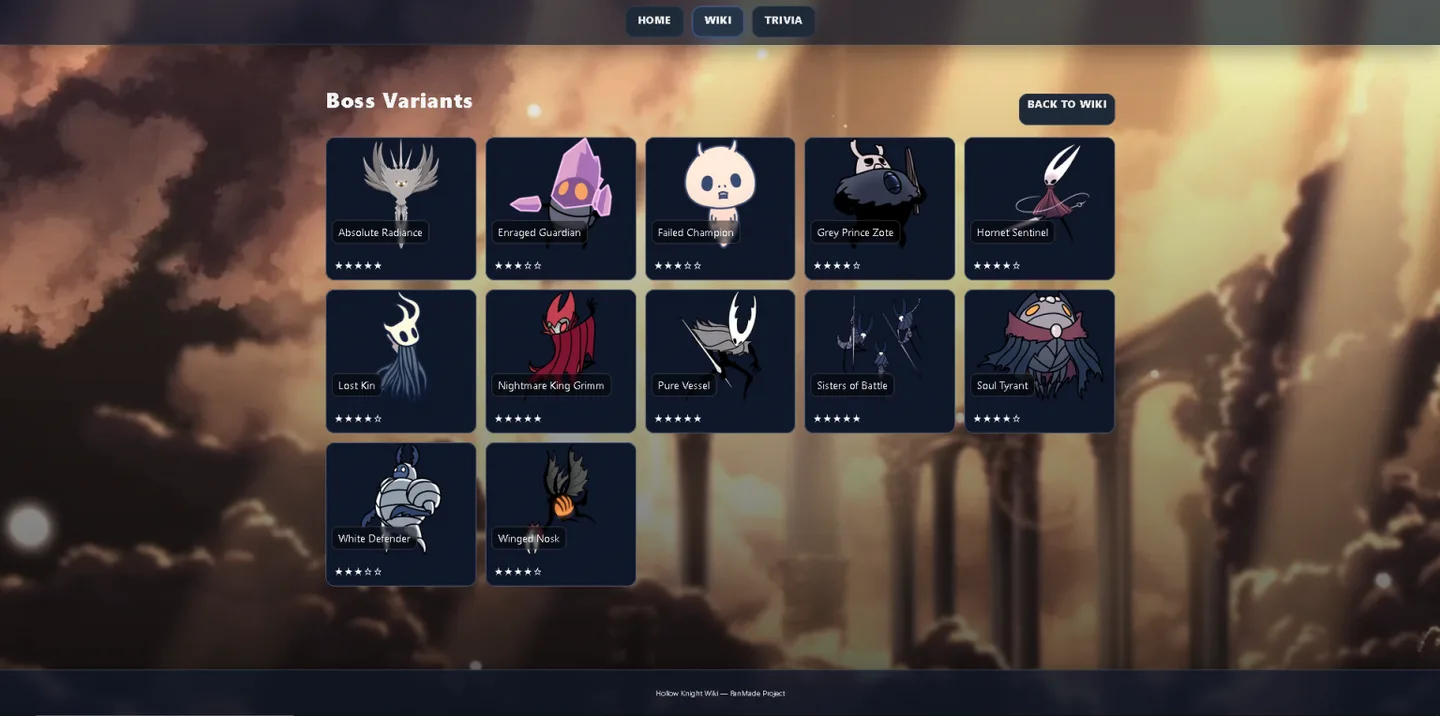
Variants
List of boss variants rated with difficulty stars.
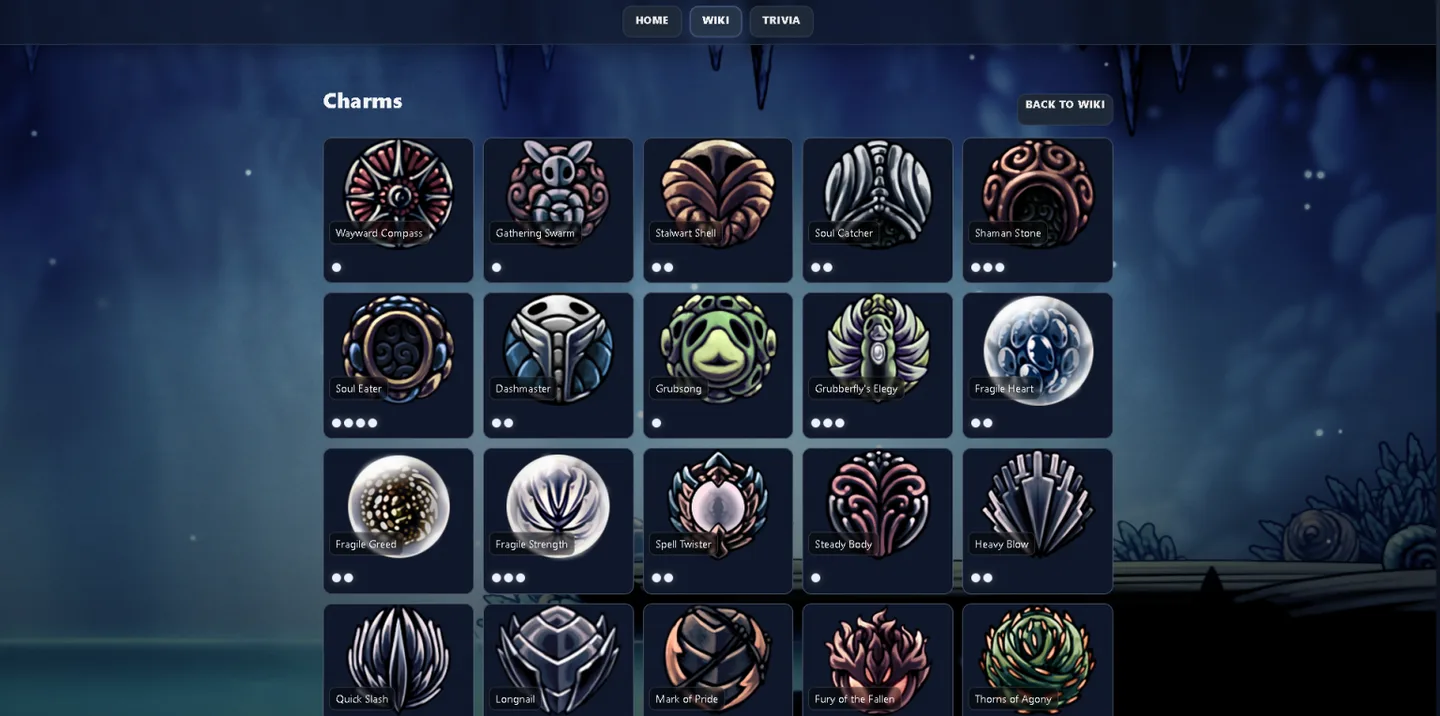
Charms
List of amulets rated by number of notches they occupy.
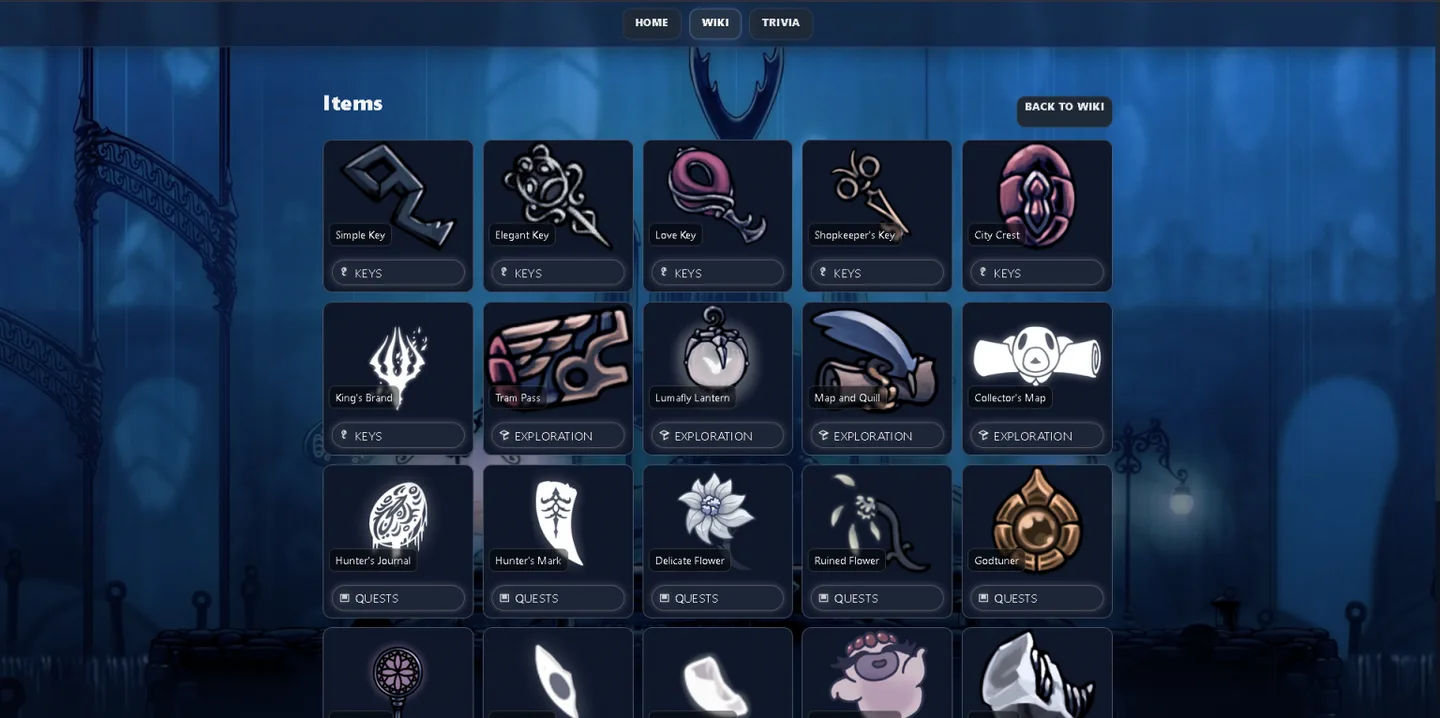
Items
List of objects qualified by different functionalities in the game.
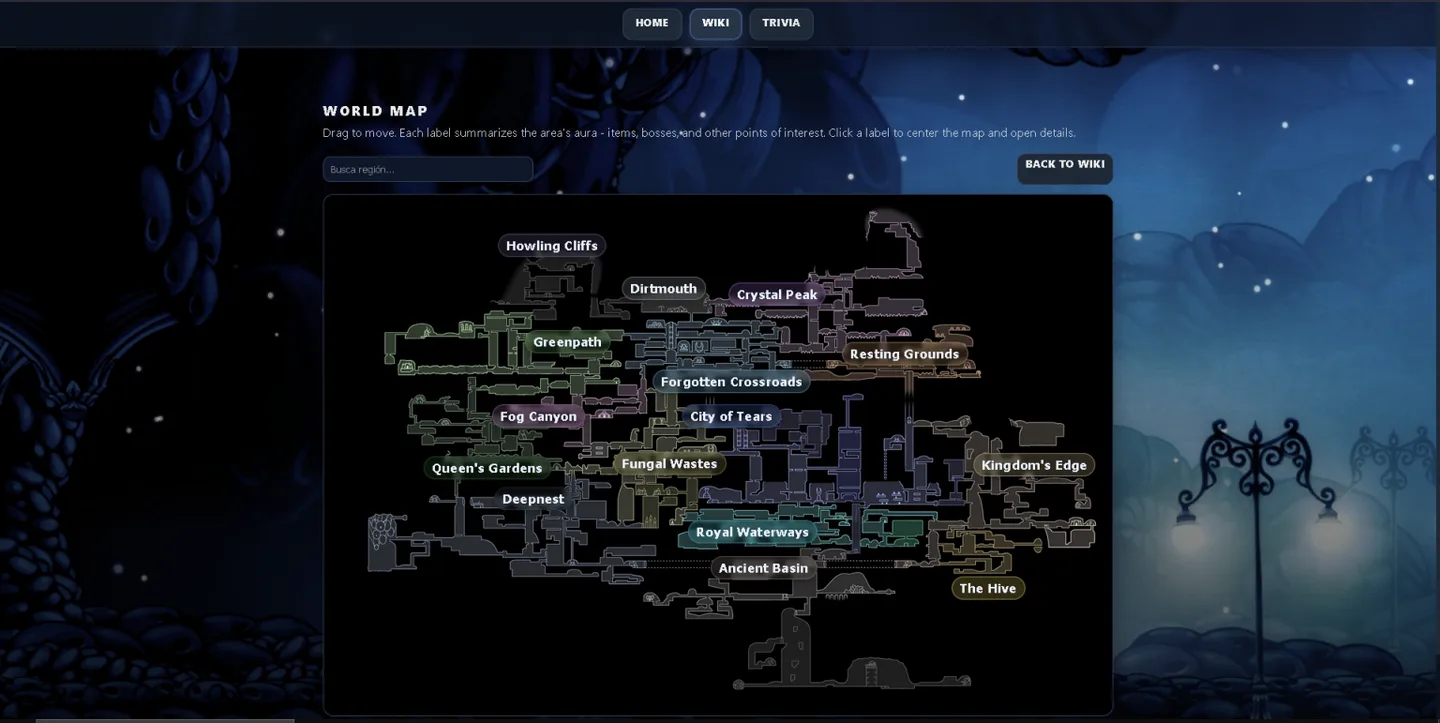
Interactive Map
Interactive map with drop-down labels by area.
The map applies a specific background to the page while it is open.
The main image is scaled to viewport and you can drag it to move; An invisible stop prevents you from going over the edges.
Areas are rendered as clickable labels with their own colors.
The search filters those tags and, when you press Enter, centers the first match and opens its detail (you can also center with ?center=slug).
The detail panel shows image, summary and lore of the area and can be closed to explore again.
Galleries by category (reusable)
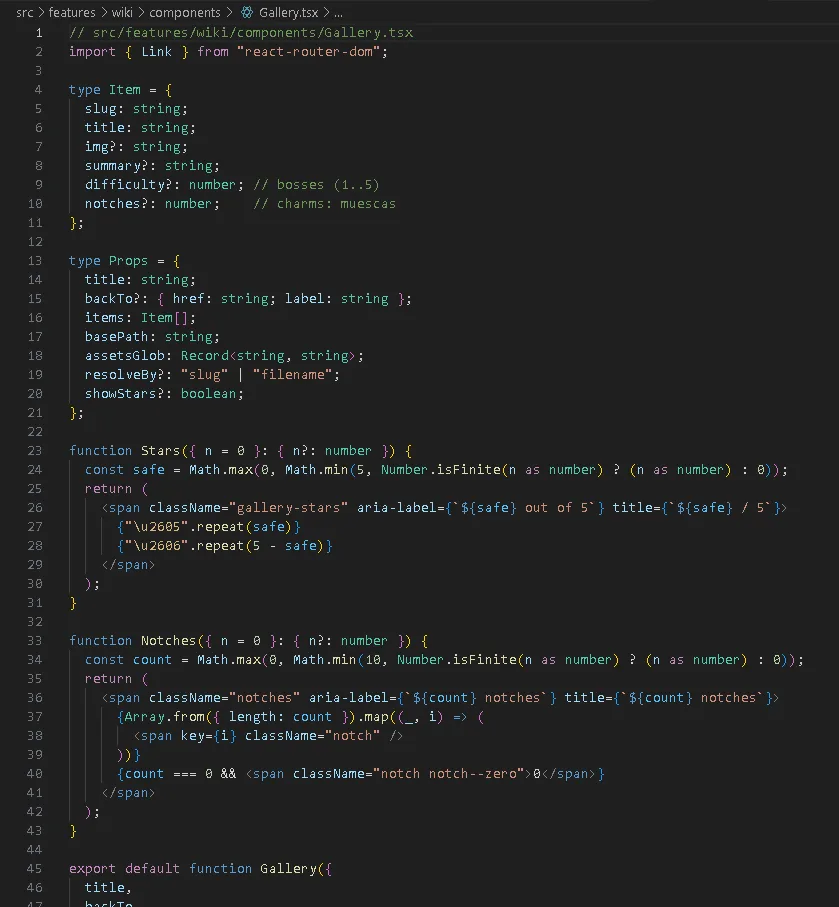
Gallery.tsx- Reusable gallery component that lists cards and drills down.
props:
title,backTo?,items[{ slug, title, img?, summary?, difficulty?, notches? }],basePath,assetsGlob,resolveBy: "slug"|"filename",showStars?.Image: resolves the URL by searching
assetsGlobbyslug(jpg/png/webp) or byfilename; sample fallback with the title if there is no image.card:
<Link>to${basePath}/${slug};figurewithbackgroundImage,figcaptionwith title.Goal: yes
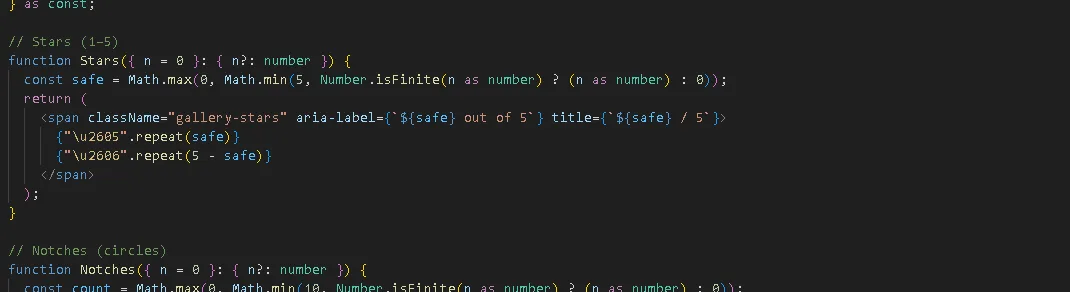
showStars⇒ stars (1–5) usingdifficulty; if not ⇒ notches usingnotches.Accessibility/layout:
ul.gallery-gridwitharia-label; stars and notches witharia-label/title; classesgallery-*for styles.
Detail page: WIKIDETAIL
In /wiki/:group/:slug, WikiDetail.tsx reads parameters, selects dataset and image and renders a two-column layout: large image on the left; to the right DETAILS (e.g. difficulty→stars, effects, drops...) and more information depending on the section. It includes a table pattern that maps each group to its dataset and its image map.
Automatic images per slug (no manual imports)
with import.meta.glob you create maps {path → url} per folder and resolve by slug and extension (.jpg / .png / .webp). It works in dev and build (Vite copies assets with hash).

Trivia: learn by playing
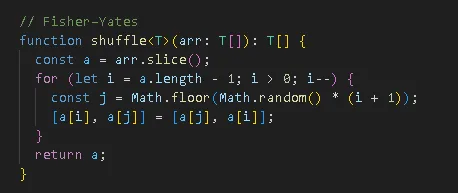
In TriviaStart you configure category/difficulty/quantity, a shuffled deck (Fisher–Yates) is created and played in the same view; upon completion, TriviaResults reads the score from sessionStorage. The questions are currently being considered; response shuffling is optional and easy to add later.
Code of Fisher-Yates:
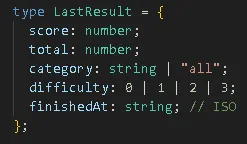
Results page with personalized message depending on the result:
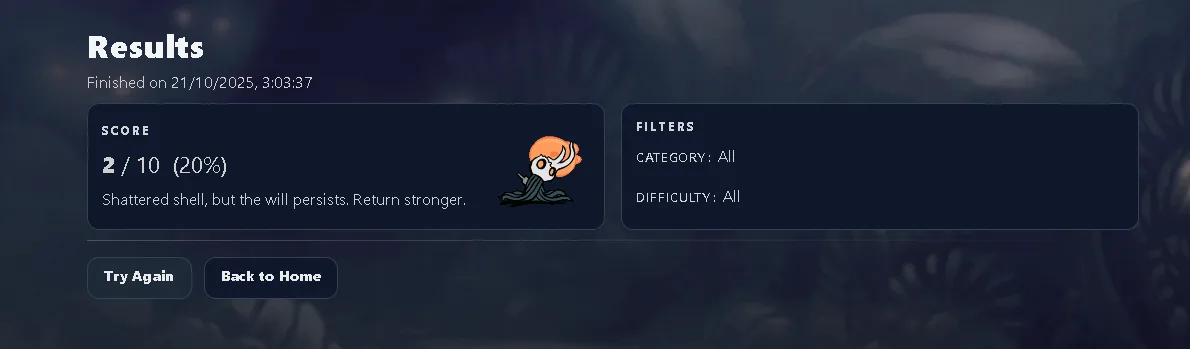
Small part of the code to show the result:
Deploy to GitHub Pages
vite.config.ts (based on subfolder):
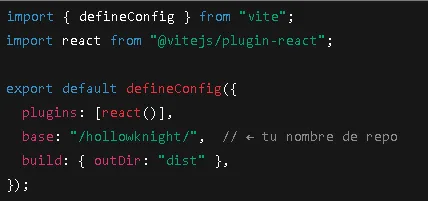
Workflow .github / workflows / deploy.yml (build + deploy with Actions) and Pages → Source: GitHub Actions. For SPA, copy index.html to 404.html after the build to avoid 404 on internal routes. It also includes the workflow recommended and a checklist (correct base, basename in router, globs to assets, responsive search engine).
Final tips and how AI comes in
- Ask the AI for initial index (sections, taxonomies, fields) and point out gaps;
- Generate slugs kebab-case and image file names from titles;
- Write summaries of 120–160 characters for cards and 2–3 paragraphs for the detail;
- Create lots of questions (1 correct + 3 distractors) and paste the JSON into questions.json. Shuffling, image loading, and URL searching are already taken care of in the code.
- CODEX It is a very useful tool for wiki development, and this article teaches you how to get it and use it in VS Code.
Following this scheme and my repository with the complete project, you will have a wiki that it reads well, easy to share and feel like exploring.
Add your datasets, name the images by slug, publishes with a push and that's it.
If you feel like it, expand categories, add relationships between tiles or more mini-games: architecture is designed to grow.
A history of the Saturdays.AI community. Originally published on Oct 22, 2025.
← More community stories